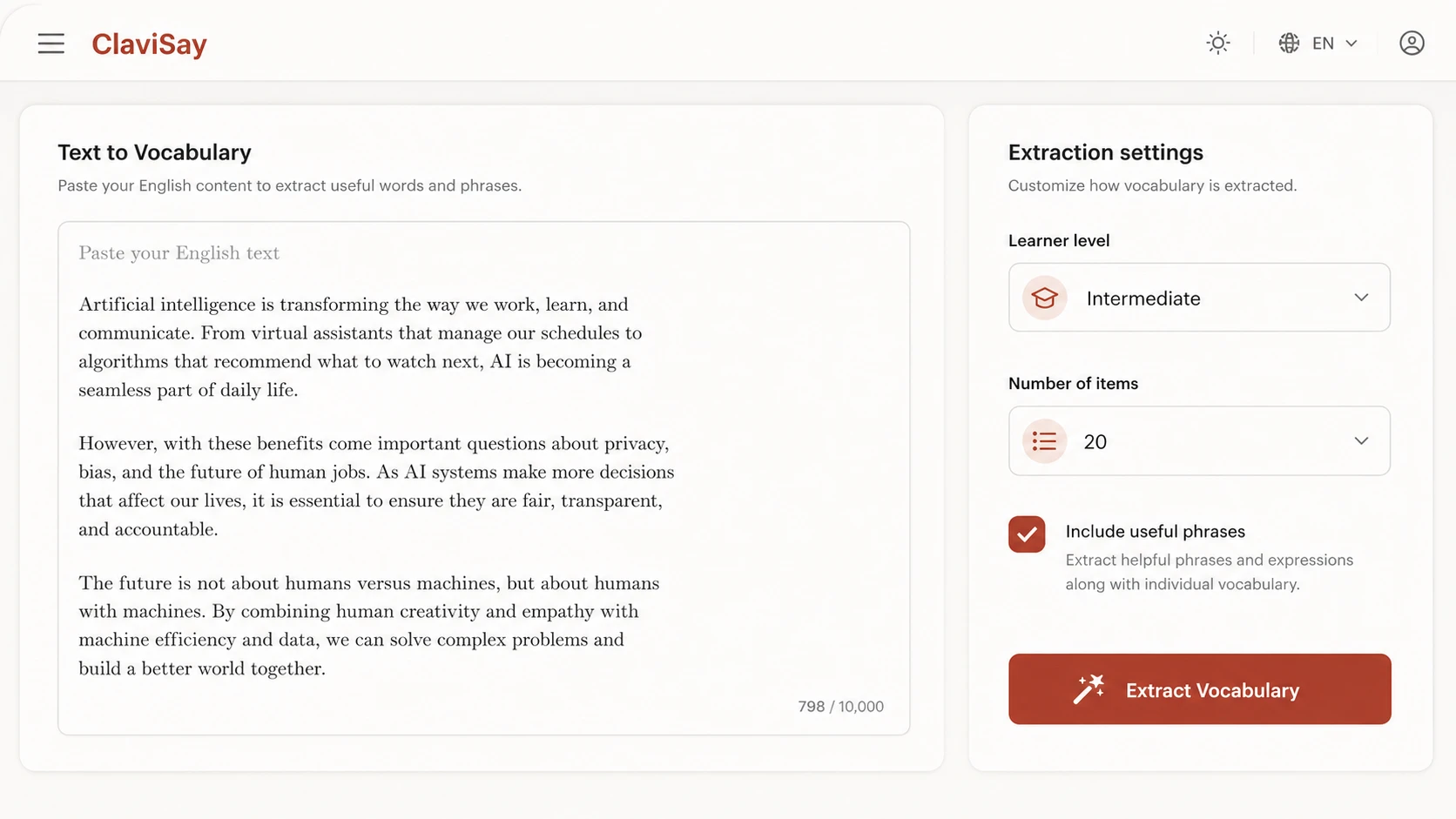
1. Paste your text
Add a paragraph, article, lesson, report, or other English material.
Paste an article, paragraph, lesson, or work document. ClaviSay identifies useful words and phrases, explains them in context, and turns your text into a personal vocabulary list you can save and review.
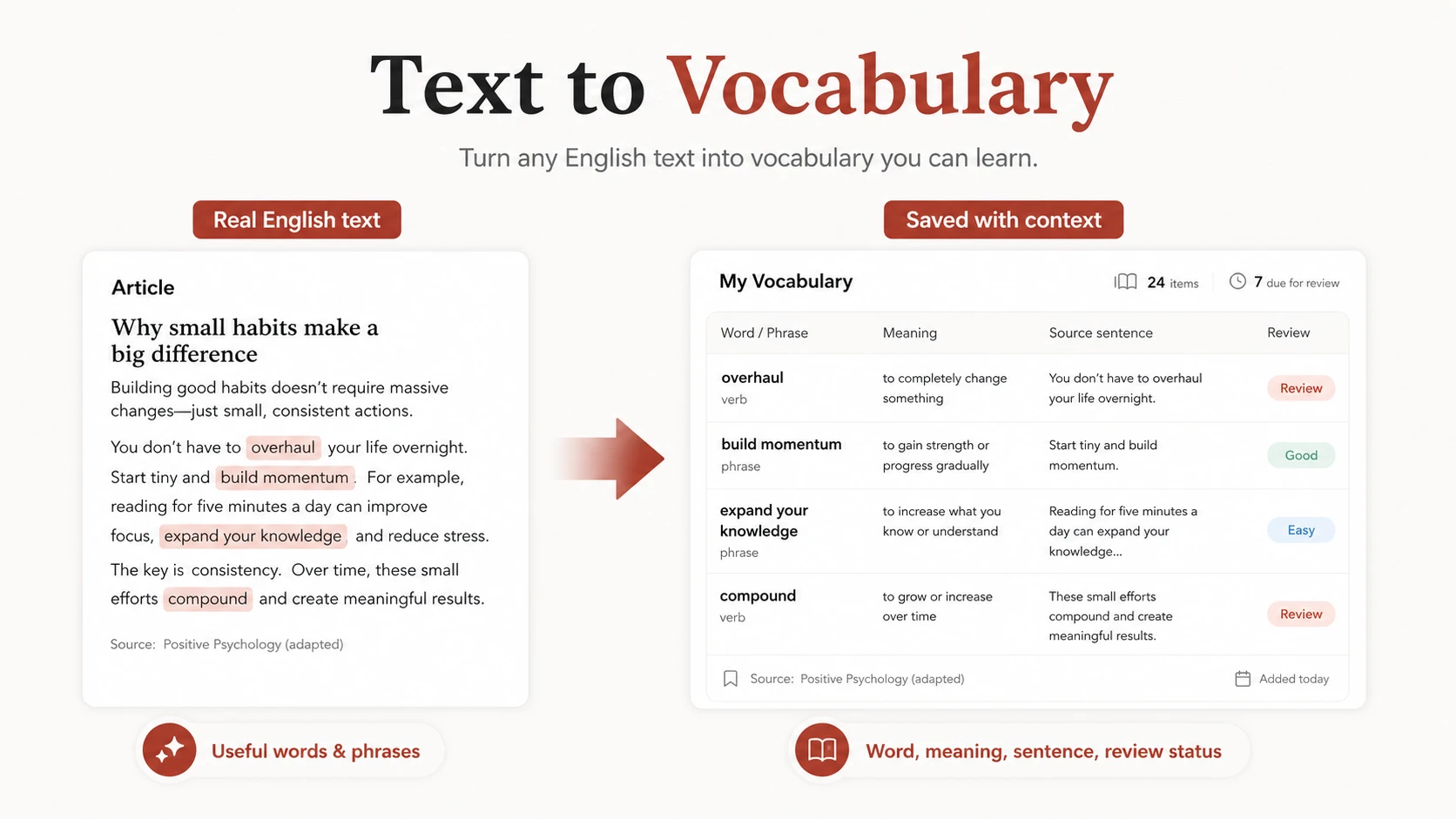
Useful English is already inside the content you read every day. The difficult part is deciding what to keep. ClaviSay turns real text into a focused vocabulary list. Instead of copying every unfamiliar word, you can identify language that is relevant to the topic, appropriate for your level, and useful beyond one sentence. Each item remains connected to its source, so the list still makes sense when you return to it later. Whether the text comes from a news article, course reading, report, blog post, or technical document, the learning starts with content that has a reason to matter.
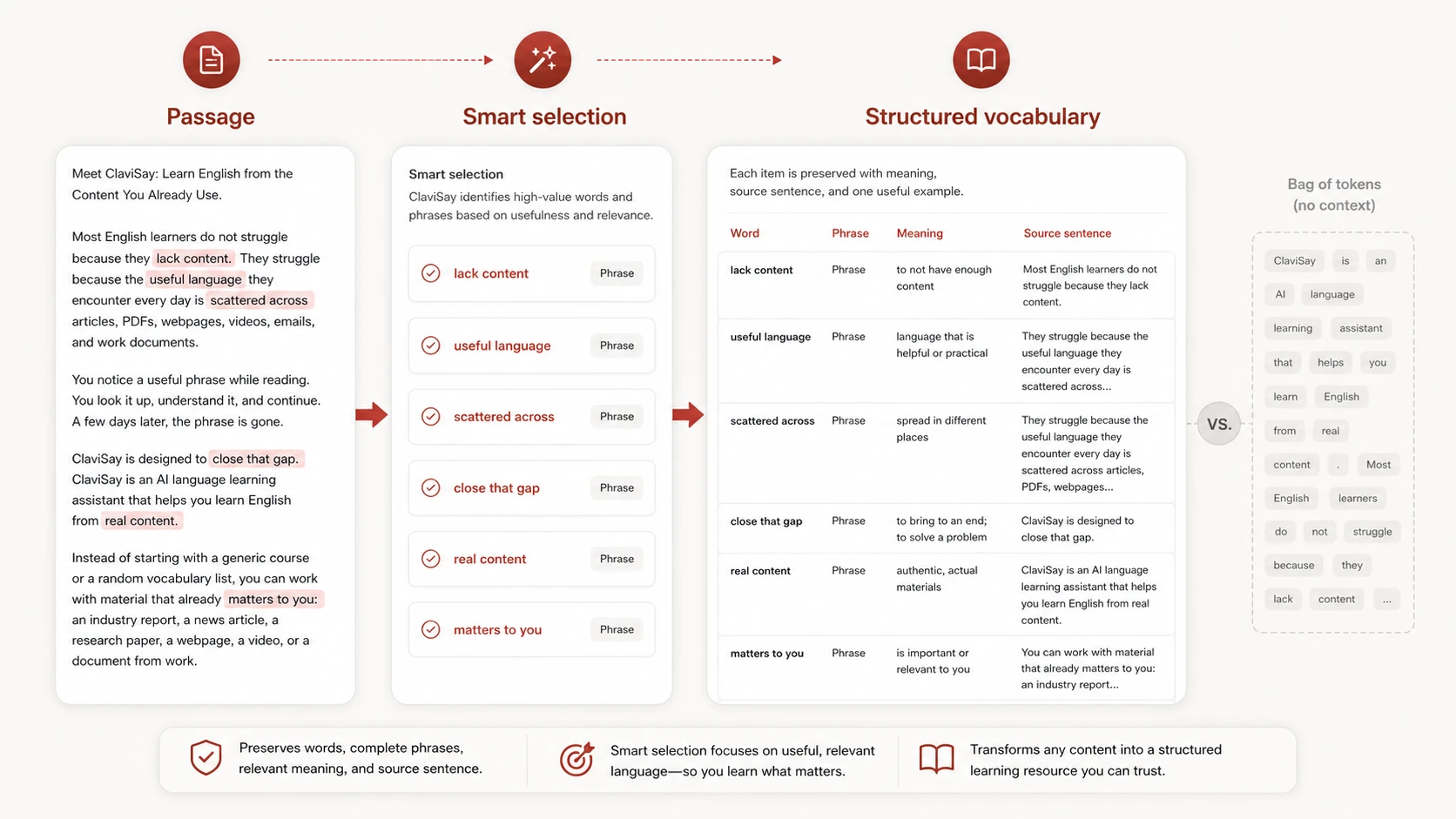
Text to vocabulary is the process of converting a passage into a structured set of words, phrases, meanings, and examples for learning. A basic extractor may return repeated or uncommon words. A useful learning tool must make better decisions. It should recognize phrases that belong together, distinguish a proper name from a target word, preserve the sentence where the expression appeared, and help the learner decide whether the item deserves future attention. The result should not be a bag of tokens. It should be a readable vocabulary resource built from the meaning of the original text.
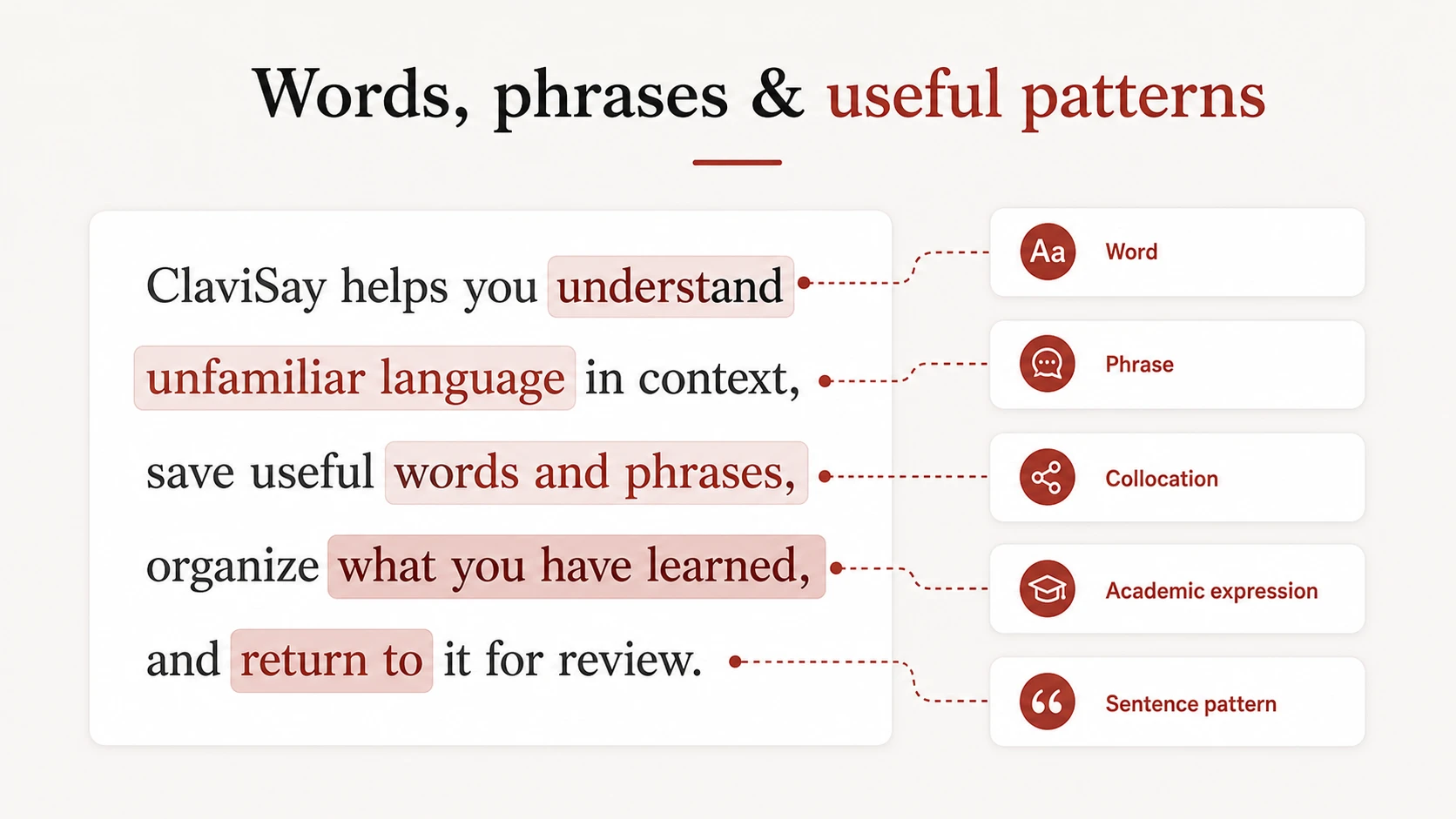
Single words are only part of practical vocabulary. Many meanings live in
combinations such as raise a concern, subject to change,
or a growing body of evidence.
Keeping these patterns intact makes the vocabulary easier to understand and more natural to reuse.
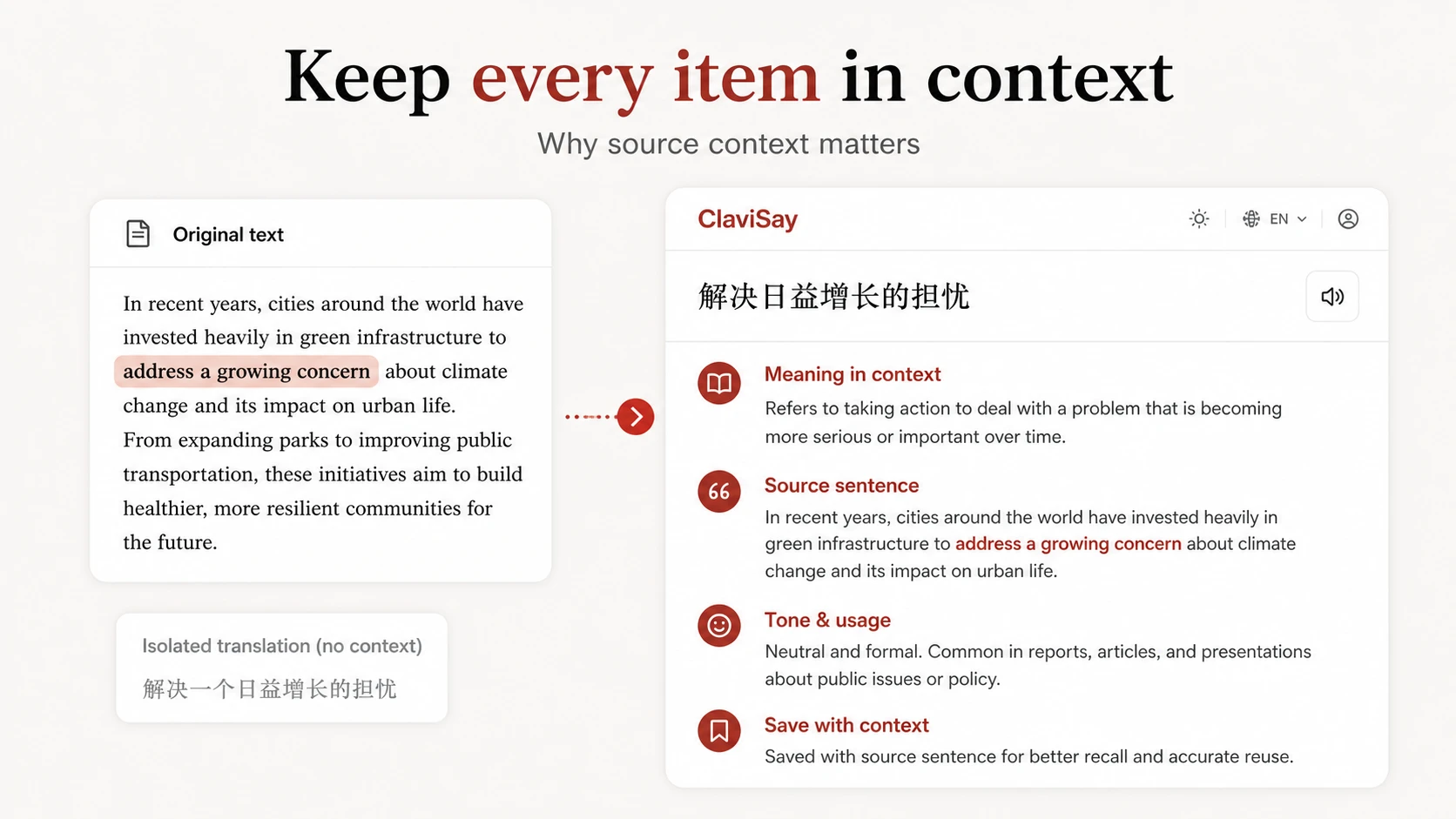
A short translation may help for a moment, but it rarely explains why a word was chosen or how it behaves in the sentence.
With ClaviSay, the original sentence stays available. You can compare the expression with nearby language, understand the meaning used in this specific passage, and keep a useful example without inventing one from scratch.
Context is especially important for words with several meanings, formal expressions, phrasal verbs, and phrases that cannot be translated word by word. Learners working with longer documents can also use PDF to Vocabulary.
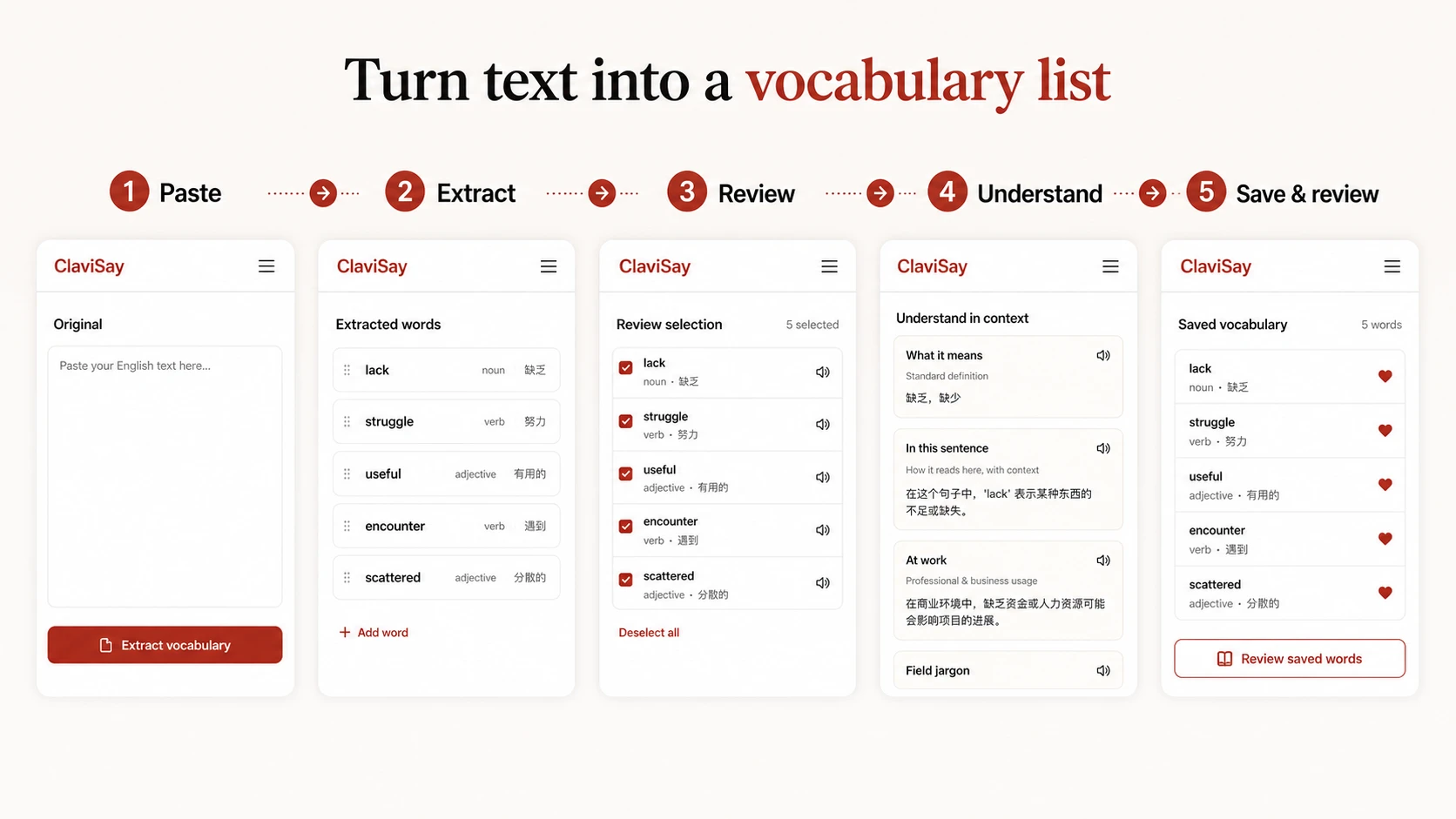
Add a paragraph, article, lesson, report, or other English material.
Identify relevant words and phrases instead of collecting every unfamiliar token.
Remove names, obvious words, and items that do not match your learning goal.
Read the source sentence, contextual explanation, and useful phrase pattern.
Add valuable items to your personal vocabulary library and return to them later.
Students can turn course readings into vocabulary for review. Professionals can collect expressions from reports and industry writing. Independent learners can use news, essays, and webpages instead of relying on random lists.
The result reflects what each learner actually reads. A designer, researcher, engineer, and marketer may all study English at the same level while needing completely different vocabulary. Text to Vocabulary allows those differences to become part of the learning system.
Paste a classroom article or textbook passage to prepare a vocabulary list connected to the assigned reading. Review the suggested language, adjust it to the class level, and keep the source sentence available for explanation.
Teachers can use the result for pre-reading support, discussion preparation, homework, or later quiz creation. The final selection should still reflect the lesson objective; automatic extraction is a first draft, not a replacement for teacher judgment.
Start with the article, paragraph, PDF, webpage, or document you genuinely need to understand.
Keep the original sentence and explain the language in its actual context.
Capture collocations and reusable expressions instead of splitting everything into isolated terms.
Save useful language, organize it, and return for review instead of exporting a list and forgetting it.
Continue learning from webpages, articles, PDFs, and videos inside the wider ClaviSay experience.
It converts a passage into a list of useful words and phrases for learning. A context-aware tool also keeps source sentences, relevant meanings, and review information.
Most clean digital English text can be used. Results are strongest when the passage is long enough to provide context and the user reviews the suggested items.
A language-learning extractor should preserve useful phrases and collocations. Separating every expression into single words can remove the grammar and meaning learners need.
Yes. Teachers can generate a first-draft vocabulary list from assigned material, then adjust the selection and explanations for the class level.
Choose a manageable number that you can understand and review. Five to fifteen valuable items from a passage are often more useful than every unknown word.
Saved vocabulary can support later practice. Visit the Vocabulary Quiz Generator page for a quiz-focused workflow.
Do not let useful English disappear when you close the page. Paste the text, keep the words and phrases that matter, and build a vocabulary library grounded in real context.
Extract Vocabulary from Text