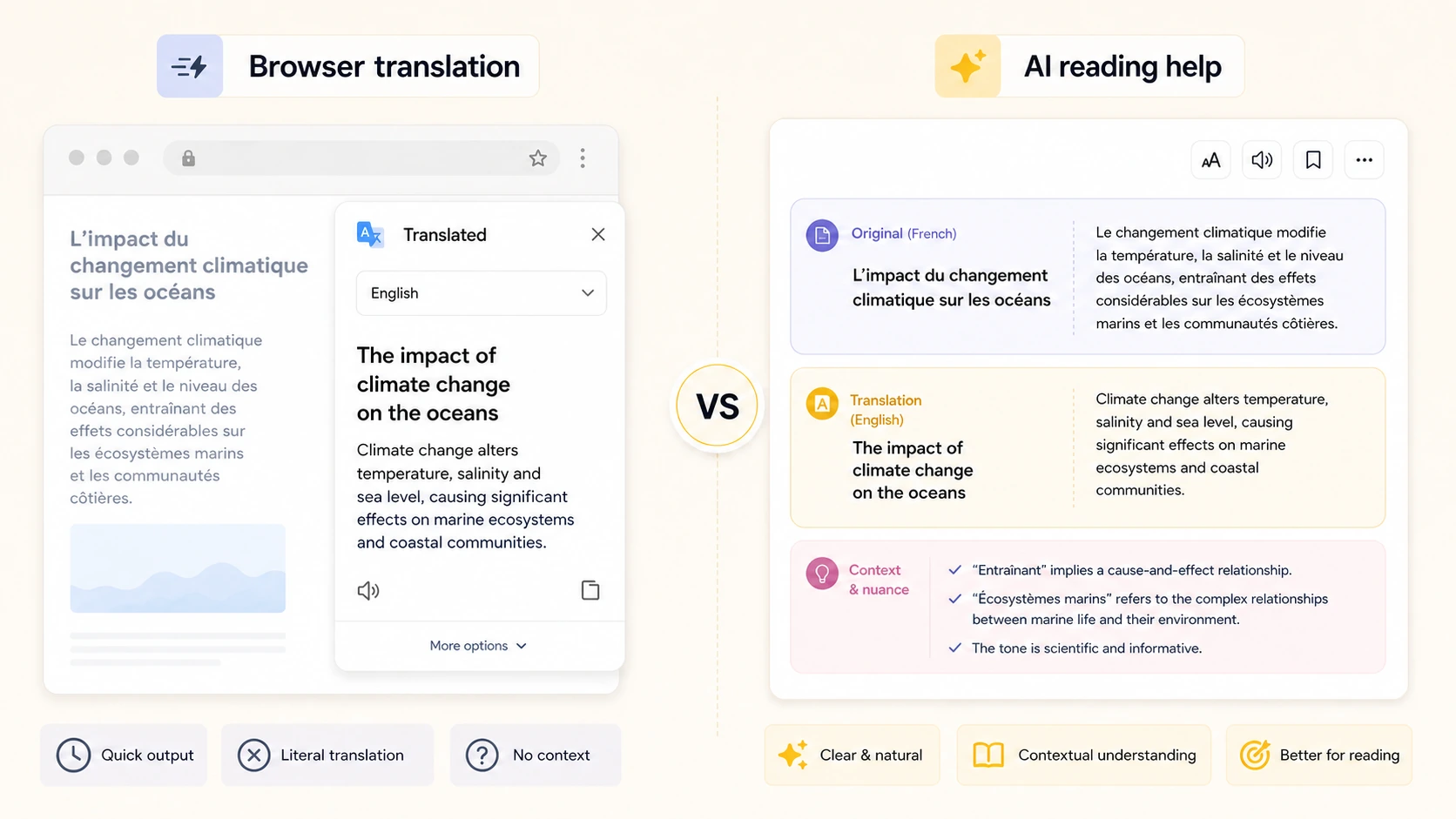
If you need to translate a webpage, Google Translate is often the first tool that comes to mind. It is fast, familiar, and available in many places across the web. But AI translators have become more useful for longer pages, technical articles, and context-heavy writing. So the real question is not which tool is “better” in general. It is which tool is better for the webpage in front of you.
This AI translator vs Google Translate for webpage translation comparison looks at the practical differences: speed, accuracy, context, formatting, language support, privacy expectations, and reading experience. The goal is to help you choose the right workflow without turning every webpage into a tool debate.
The Short Answer
Use Google Translate when you need speed, broad language coverage, and a quick understanding of a simple page.
Use an AI translator when the webpage is long, nuanced, technical, or when you care about natural wording and consistent terminology across the full article.
Use a URL-based webpage translator when you do not want to copy and paste sections manually. For example, an AI Web Translator can translate the main content of a public webpage from its URL and present the result in a cleaner reading view.
Where Google Translate Is Strong
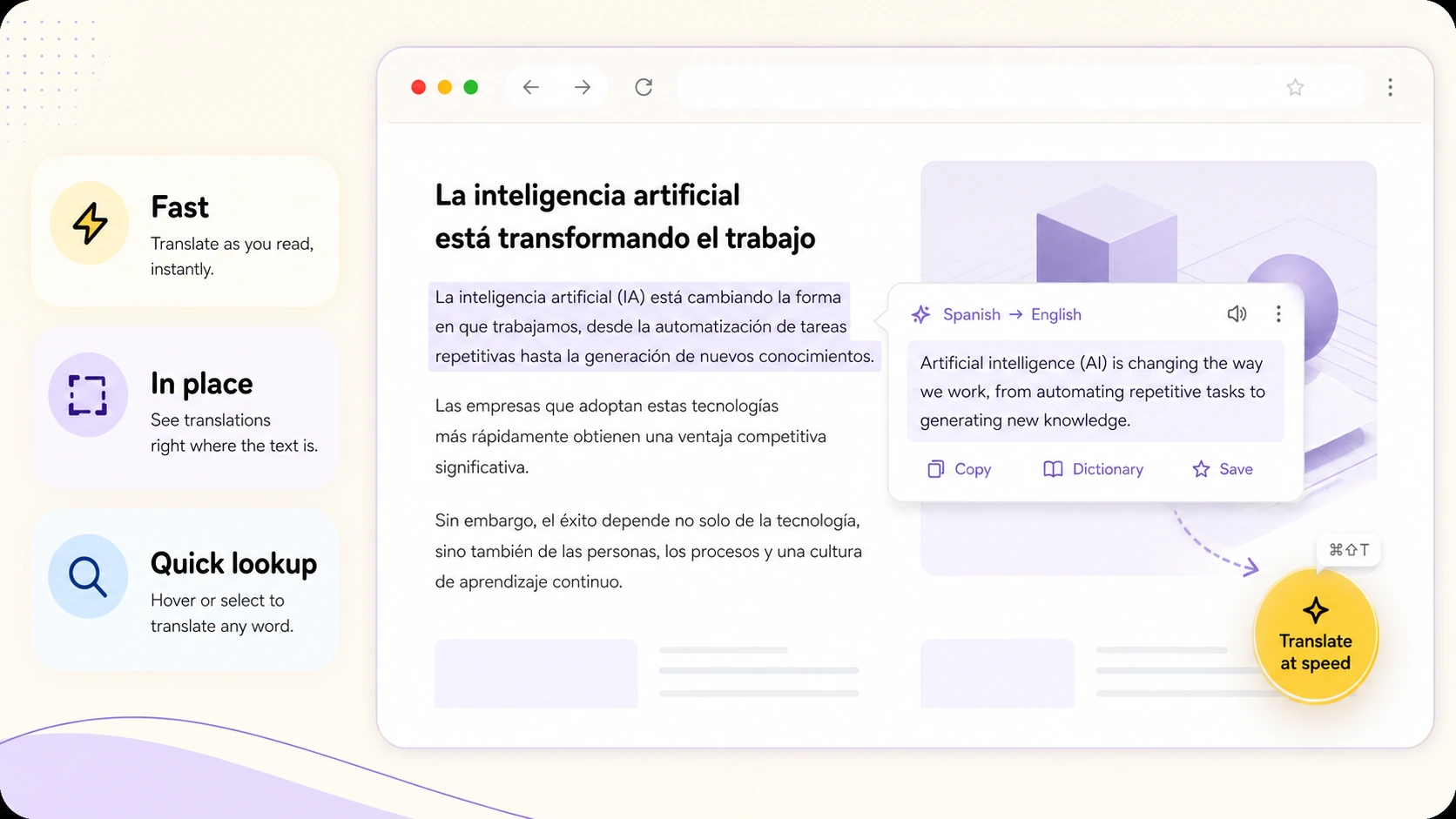
Google Translate is excellent for everyday translation. It is widely available, fast, and supports many languages. If you are reading a short product page, a travel page, a help article, or a simple foreign-language website, it may be all you need.
Its biggest advantage is convenience. In Chrome, page translation can happen directly in the browser. You do not need to think about workflow. If the page is detected correctly, you click translate and keep reading.
Google Translate is also useful for quick checks. If you only need to understand the rough meaning of a sentence, menu item, comment, or paragraph, speed matters more than literary quality.
For many users, that is enough.
Where Google Translate Can Struggle
Webpages are not always simple. A long article may introduce a concept in the first paragraph and refer to it throughout the page. A technical document may use the same term repeatedly. A product page may include brand names, feature names, abbreviations, and industry terms that should not be translated literally.
This is where traditional webpage translation can feel inconsistent. The translation may be understandable sentence by sentence, but less smooth as a whole. Long sentences may sound mechanical. Terms may shift. The tone may feel too literal.
Another issue is verification. Browser translation often replaces the original text in place. That is convenient, but when a sentence feels strange, you may need to compare it with the original. If the workflow does not make that easy, important details can become harder to check.
Where AI Translators Are Strong
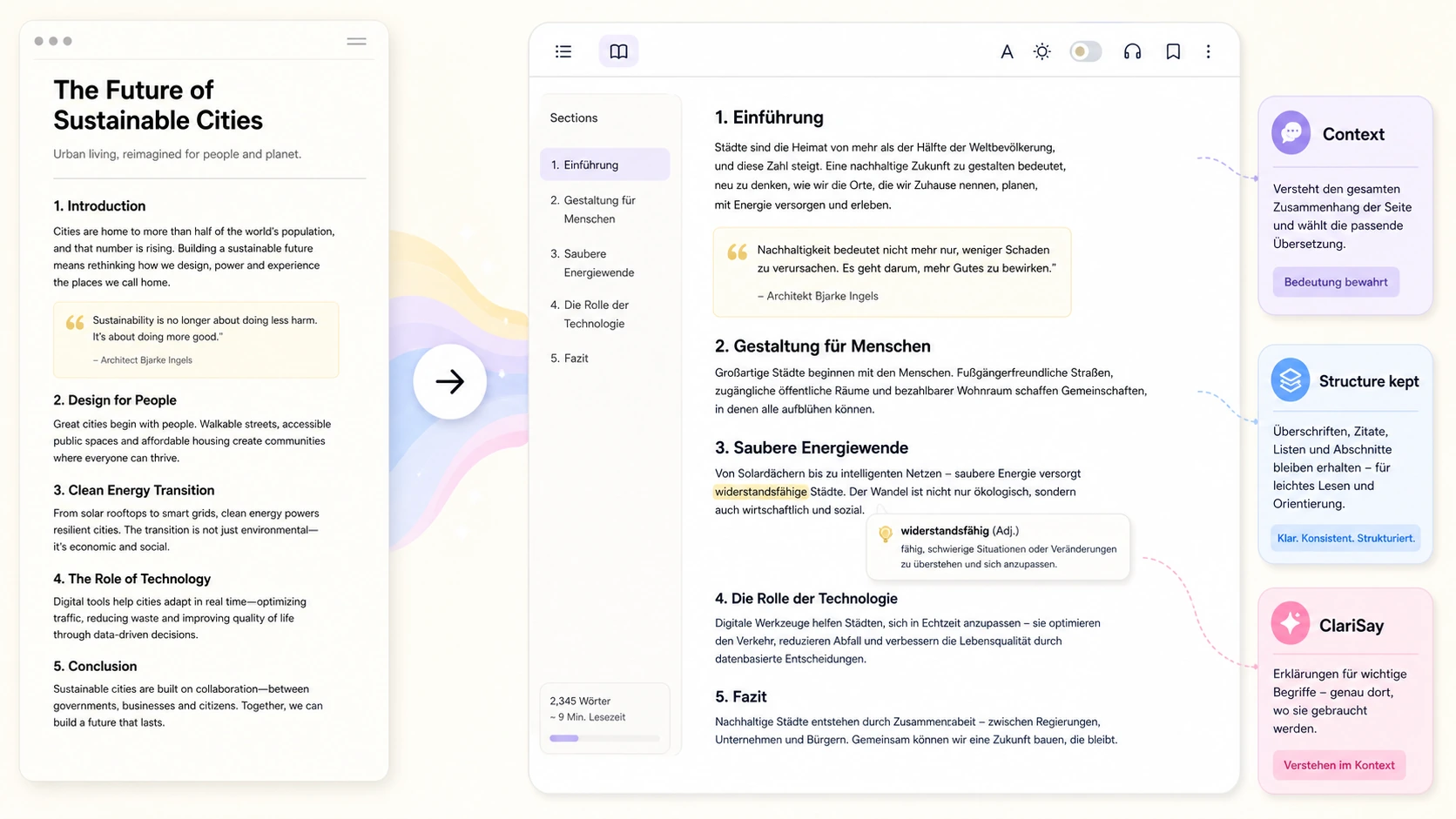
AI translators are often better at using broader context. Instead of treating every sentence as a separate unit, they can consider the surrounding paragraphs and the purpose of the article. That can make the translation more natural, especially for long-form content.
This matters for news analysis, essays, technical documentation, product comparisons, research summaries, and opinion pieces. In those cases, the point is not just to decode words. You want to understand the author’s argument.
AI translators can also be useful when a page contains idioms, long clauses, or field-specific terminology. They may produce a translation that sounds more like something a person would actually write in the target language.
That said, AI translation still needs verification. Natural wording does not automatically mean perfect accuracy. For legal, medical, financial, or technical decisions, check important terms against the original source.
Speed vs Reading Quality
The biggest practical tradeoff is speed.
Google Translate is usually faster. If the page is simple and the translation prompt appears, it is hard to beat.
AI translation can take more time because the tool may need to fetch the page, extract the main content, understand the structure, translate the text, and rebuild a readable result. That extra step can be worth it for long pages, but it may be unnecessary for a short page.
So the choice depends on the job. Translating a restaurant menu? Google Translate is probably enough. Translating a 3,000-word technical post about a new API? An AI translator may produce a better reading experience.
Webpage Structure Matters
A webpage is more than a block of text. It has headings, lists, links, quotes, images, tables, and sometimes code. A good translation workflow should preserve enough structure that the page remains readable.
Google’s browser translation keeps the page in its original environment, which is convenient. But if the page is cluttered with ads, sidebars, pop-ups, or unrelated text, the reading experience may still be messy.
A dedicated AI webpage translation tool may instead extract the main article and present a cleaner translated version. That is helpful when the goal is reading the content, not preserving every visual element of the original site.
If you want a step-by-step workflow for this, read how to translate an entire webpage with AI.
Language Support
Google Translate has a major advantage in broad language coverage. If you need a less common language pair, Google may support it when a newer AI webpage translator does not.
AI translators vary widely. Some support many languages; others focus on fewer languages with better context quality. Before relying on one, check whether it supports the source and target languages you need.
For everyday multilingual browsing, Google Translate remains hard to replace. For deeper reading in supported languages, AI translation can be more comfortable.
Accuracy Is Not One Thing
People often ask which tool is more accurate, but accuracy has several layers.
Literal accuracy means the translation preserves the direct meaning of each sentence. Contextual accuracy means the translation fits the broader article. Terminology accuracy means repeated terms stay consistent. Reading accuracy means the reader understands the author’s point without stumbling.
Google Translate may be very good for literal and fast translation. AI translators may be better for contextual and natural translation. Neither should be blindly trusted for high-stakes content.
This is why AI translator vs Google Translate for webpage translation is not a one-answer question. The best tool depends on the type of accuracy you need.
When Chrome or Browser Translation Fails
Sometimes the comparison is not theoretical. You use Chrome, but the page does not translate. The icon is missing, the button is grayed out, or only part of the page changes language.
In that case, your first step should be troubleshooting. This guide covers the common causes: Chrome Translate not working.
If you use Firefox, built-in translation may also be enough for many pages. Here is the Firefox-specific guide: how to translate a webpage in Firefox without installing an extension.
If the browser cannot translate the page cleanly, a URL-based AI translator is a practical fallback.
Which Should You Use?
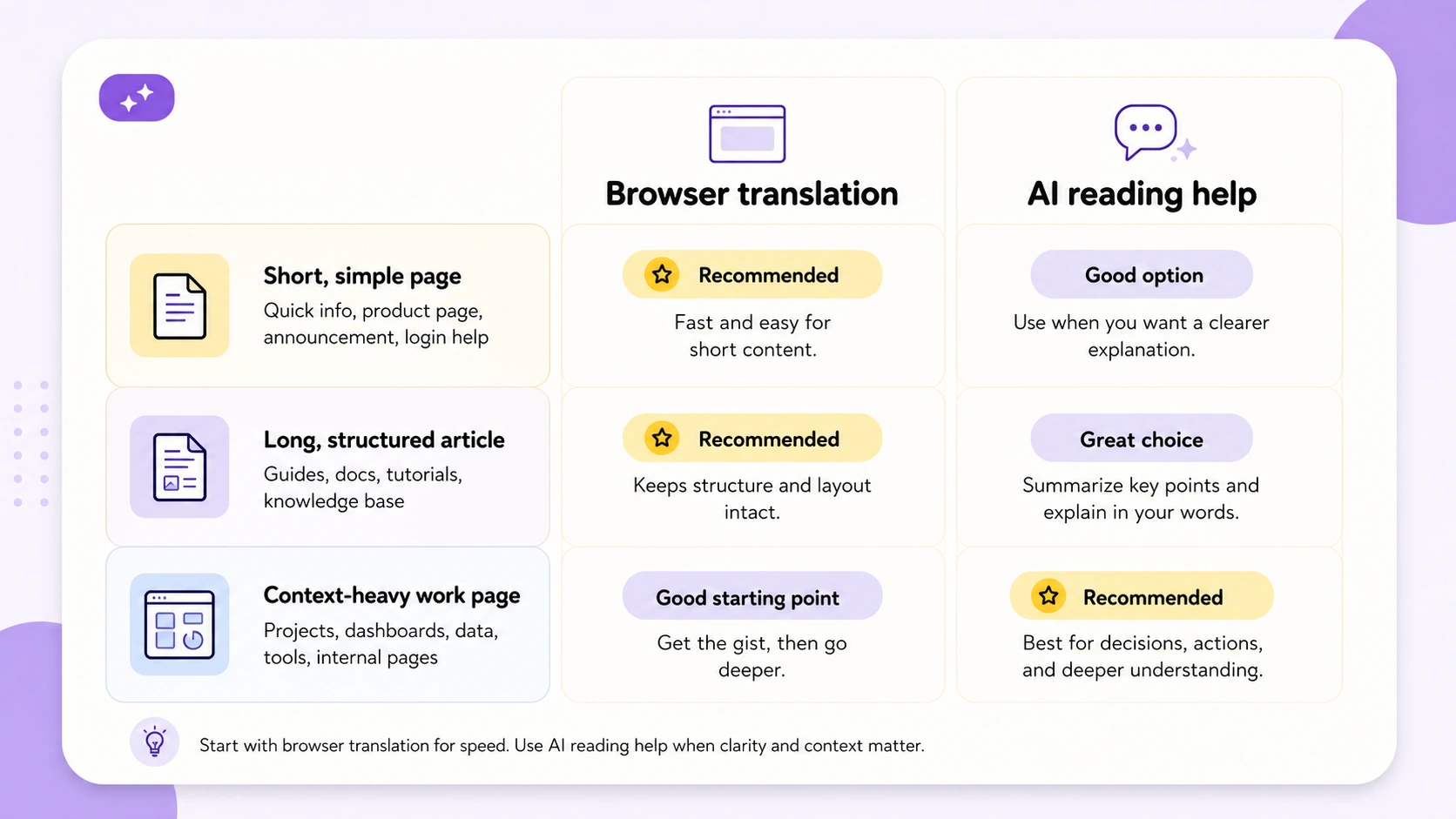
Use Google Translate when:
- You need a quick rough translation.
- The page is short or simple.
- Chrome translation appears and works normally.
- You need broad language support.
- You do not need a polished reading experience.
Use an AI translator when:
- The page is long or context-heavy.
- You care about natural wording.
- Terms need to stay consistent.
- You want a cleaner reading view.
- You need to compare meaning across the whole page.
Use both when the content matters. A quick Google translation can give you the gist. An AI translation can help you read more deeply. The original page remains the final source of truth.
Final Takeaway
The best answer to AI translator vs Google Translate for webpage translation is situational.
Google Translate is faster, broader, and excellent for everyday browsing. AI translators can be better for long articles, technical content, and pages where context matters. If the page is simple, use the fastest tool. If the page is important, use the tool that gives you the clearest reading experience and lets you verify uncertain terms.
For people who read foreign-language webpages as part of work or research, ClaviSay fits the second use case: translating public webpages into a more readable format without forcing you to copy the page section by section.