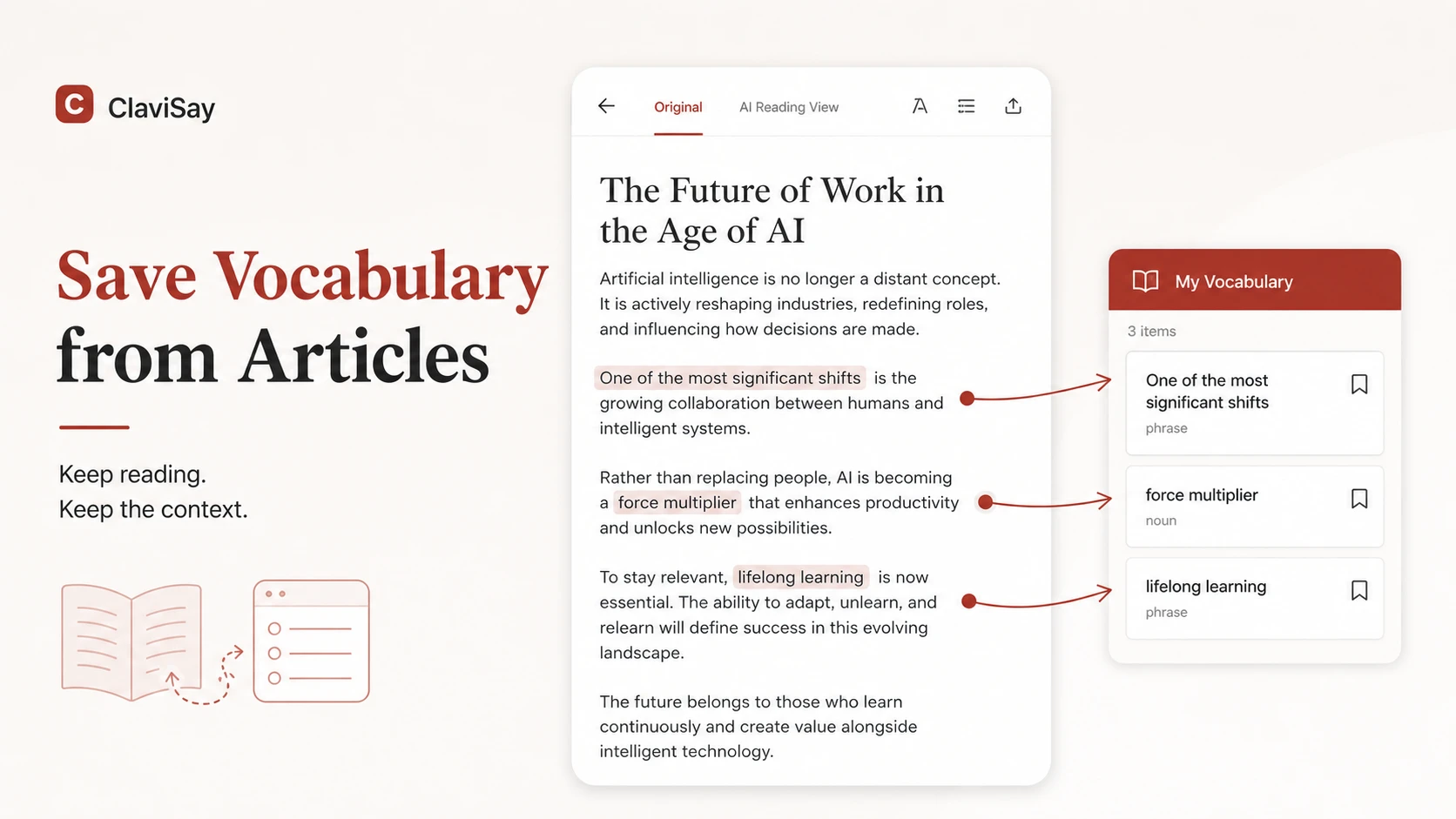
Reading an English article can turn into clerical work surprisingly quickly. You open a dictionary for one word, copy another into a note, search for an example sentence, and reorganize a list that did not exist ten minutes ago. By the time you return to the article, you have forgotten the writer's argument.
The alternative - ignoring every unfamiliar expression - keeps the reading moving, but valuable language disappears when the tab closes.
The best way to save vocabulary from articles sits between those extremes. Read for meaning first, capture selectively, and let the article provide the context your future self will need.
Read the Paragraph Before You Save Anything
An unfamiliar word may become clear by the end of the sentence. A phrase that seems important may turn out to be a one-time detail. Saving immediately makes you react to uncertainty before the text has had a chance to explain itself.
Finish the paragraph first. Ask what the writer is saying, what role the sentence plays, and whether the unknown language prevents understanding.
This small delay improves selection. You are more likely to save words connected to the main idea and less likely to collect decorative or irrelevant vocabulary.
Use a Simple Test for What Is Worth Saving
Save an item when it meets at least one strong reason:
- it is essential to the article's meaning;
- it appears repeatedly;
- it belongs to a subject you read about often;
- it forms part of a reusable phrase;
- you have seen it before but still cannot recall it;
- you can imagine using it in writing or conversation.
Do not save a word simply because it is new. A rare name, a highly specific object, or a word fully explained by the next sentence may not deserve a place in your review queue. For many articles, five to ten well-chosen items are enough.
Save the Phrase and Its Source Sentence
Imagine the article says:
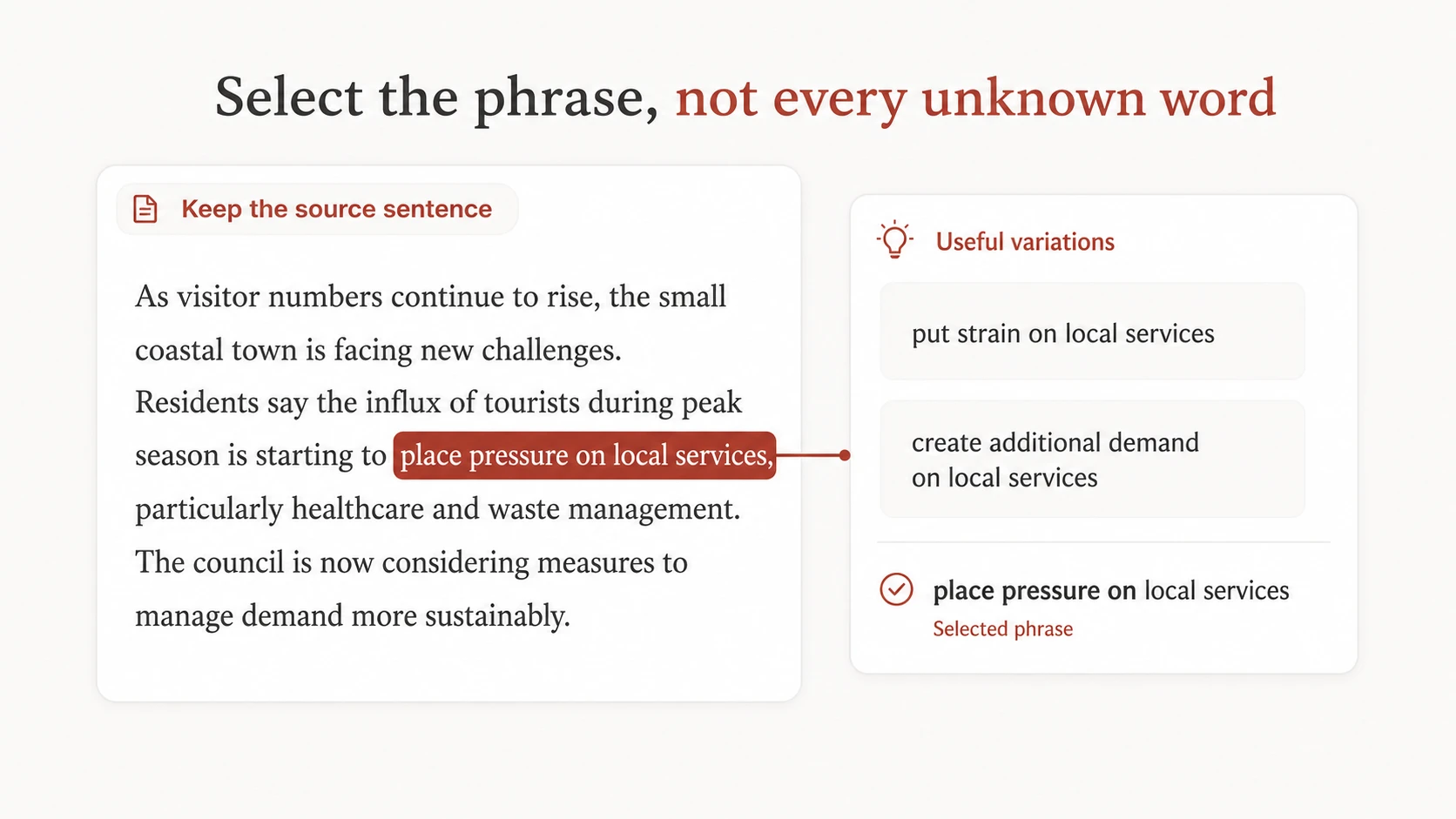
The new policy is likely to place additional pressure on small businesses.
The useful language may not be pressure alone. It may be place pressure on. Saving the whole pattern makes its grammar visible and gives you something you can reuse: place pressure on local services, place pressure on household budgets, or place pressure on the team.
Keep the original sentence with the phrase. It records the meaning, tone, and situation without requiring you to invent a perfect example while reading.
Do Not Turn the First Reading into a Vocabulary Lesson
Use two passes when the article matters. During the first pass, focus on the argument. Mark or save only language that blocks understanding or is obviously valuable. During the second pass, return to marked sentences and decide what belongs in the long-term list.
This separation protects comprehension. It also gives you a better sense of which expressions carry the article and which merely decorate it. For a short casual article, the two passes may happen within minutes. For a report or academic paper, you may finish an entire section before cleaning the vocabulary.
Add Only the Notes That Help Future Recall
A saved item does not need a full dictionary page. A useful entry can contain the target word or phrase, the source sentence, the meaning used here, one collocation or grammatical pattern, an optional translation, and a prompt for review.
Avoid copying several definitions you did not encounter. Too much information makes the important meaning harder to see.
Make Saving Easier Without Saving More
The inconvenience of switching between a browser, dictionary, notes app, and flashcard tool often encourages two bad habits: saving nothing or saving everything quickly and cleaning it “later.” Later rarely arrives.
ClaviSay is designed to keep reading, contextual explanation, saving, and review closer together. You can work with real webpages and articles, keep the source sentence, and add useful language to a personal library with a vocabulary builder without rebuilding the context manually.
The tool should reduce friction, not remove judgment. You still decide which expressions fit your level, interests, and future use. Learners who want to process a pasted passage separately can also use the Text to Vocabulary workflow.
Clean the List After You Finish Reading
Before review, remove duplicates, accidental selections, proper names, and words that became obvious later. Merge fragments into full phrases. Shorten explanations that are harder than the vocabulary itself.
Then group the remaining items by the article or topic. Keeping the source visible creates a meaningful route back into the language. A cleaned list of seven items is not a disappointing result. It is seven pieces of language with a realistic chance of being reviewed.
Review by Reconstructing the Article's Meaning
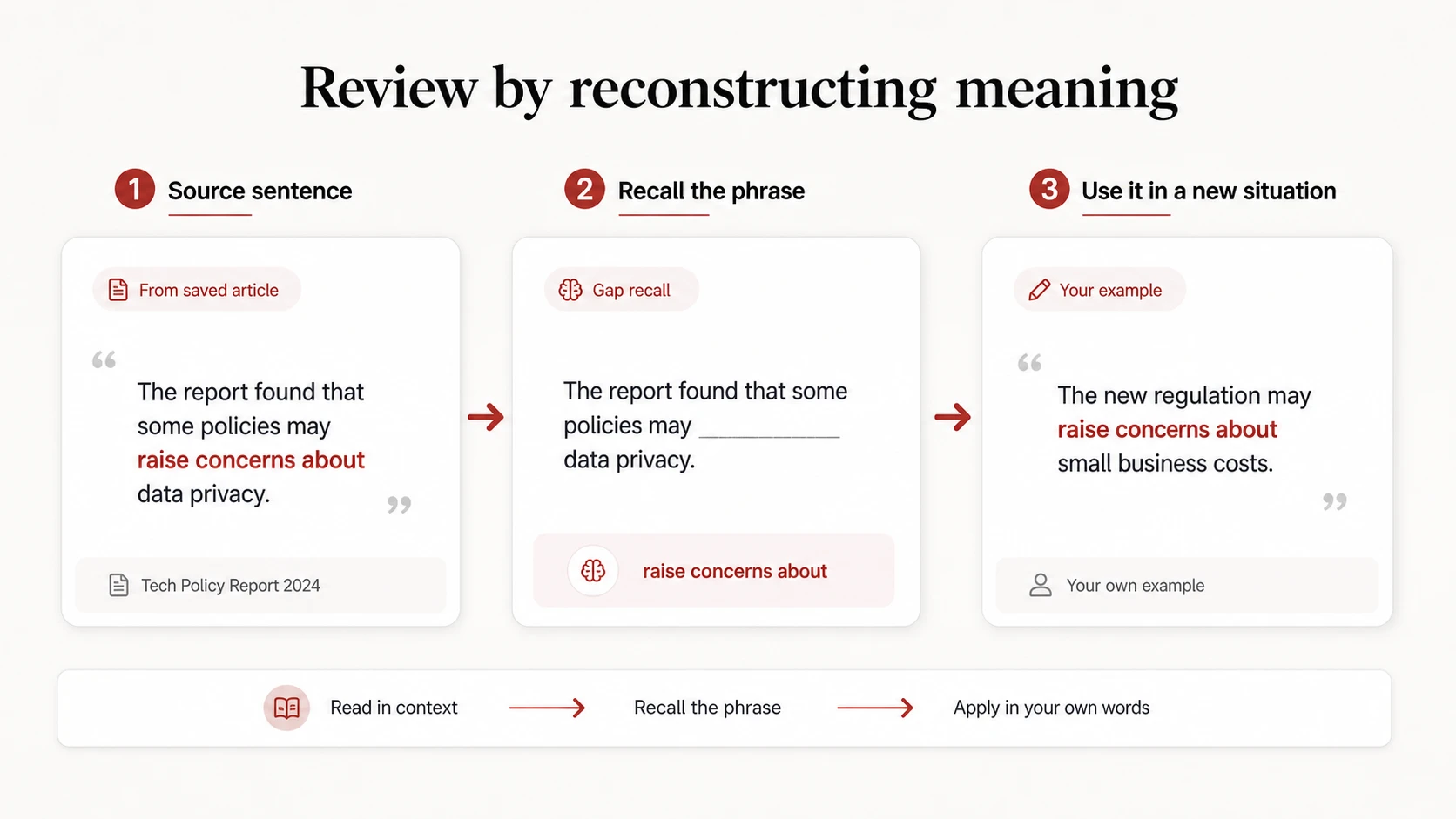
Do not begin review by staring at the definition. Start with the source sentence and hide the target phrase. Try to retrieve it. Then explain why it fits better than a near synonym.
Next, move the phrase into a different situation. If the article used raise concerns about data privacy, you might write, “The delay raised concerns among investors.” That step tests whether the phrase has become usable beyond the original page.
Build a Small Reading-to-Review Routine
After each article, keep no more than a manageable number of items. Review the source sentences within a day or two. Test recall before showing the answer. Write or say one new example for the most useful phrases. Return to difficult items in a later session.
If you want a formal check, a vocabulary quiz maker can create practice from selected items. Review generated questions before trusting the answer key.
Common Mistakes
The most common mistake is treating every unknown word as equally valuable. Others include saving translations without source sentences, breaking phrases into isolated words, stopping too often, and never cleaning the list after reading.
Another subtle mistake is choosing articles only because they contain “advanced vocabulary.” Choose content you actually want to understand. Interest supplies connections that a difficult word list cannot.
Frequently Asked Questions
How many words should I save from one article?
There is no fixed number, but five to ten strong items are manageable for many learners. A dense academic article may justify more if you review it in sections.
Should I look up every unknown word?
No. Look up words that block understanding or appear important. Use context for the rest and return after finishing the paragraph.
Is it better to save words or phrases?
Save the smallest complete unit that preserves useful meaning and grammar. Often that is a phrase, such as account for the difference, rather than one word.
Can I save vocabulary directly from webpages?
Yes. A browser-based workflow can preserve the source sentence and reduce copying. Make sure the saved entry remains understandable outside the page.
How soon should I review article vocabulary?
Review within a day or two, then return after a longer gap. Retrieval matters more than repeatedly rereading the list.
Let the Article Remain the Center of the Experience
You opened the article to understand an idea, not to manufacture a spreadsheet. Keep that purpose intact.
Read the paragraph. Save only language with a reason to return. Preserve the phrase and sentence. Then finish the article before turning your attention to review. That is how you save vocabulary from articles in a way that supports reading instead of replacing it.