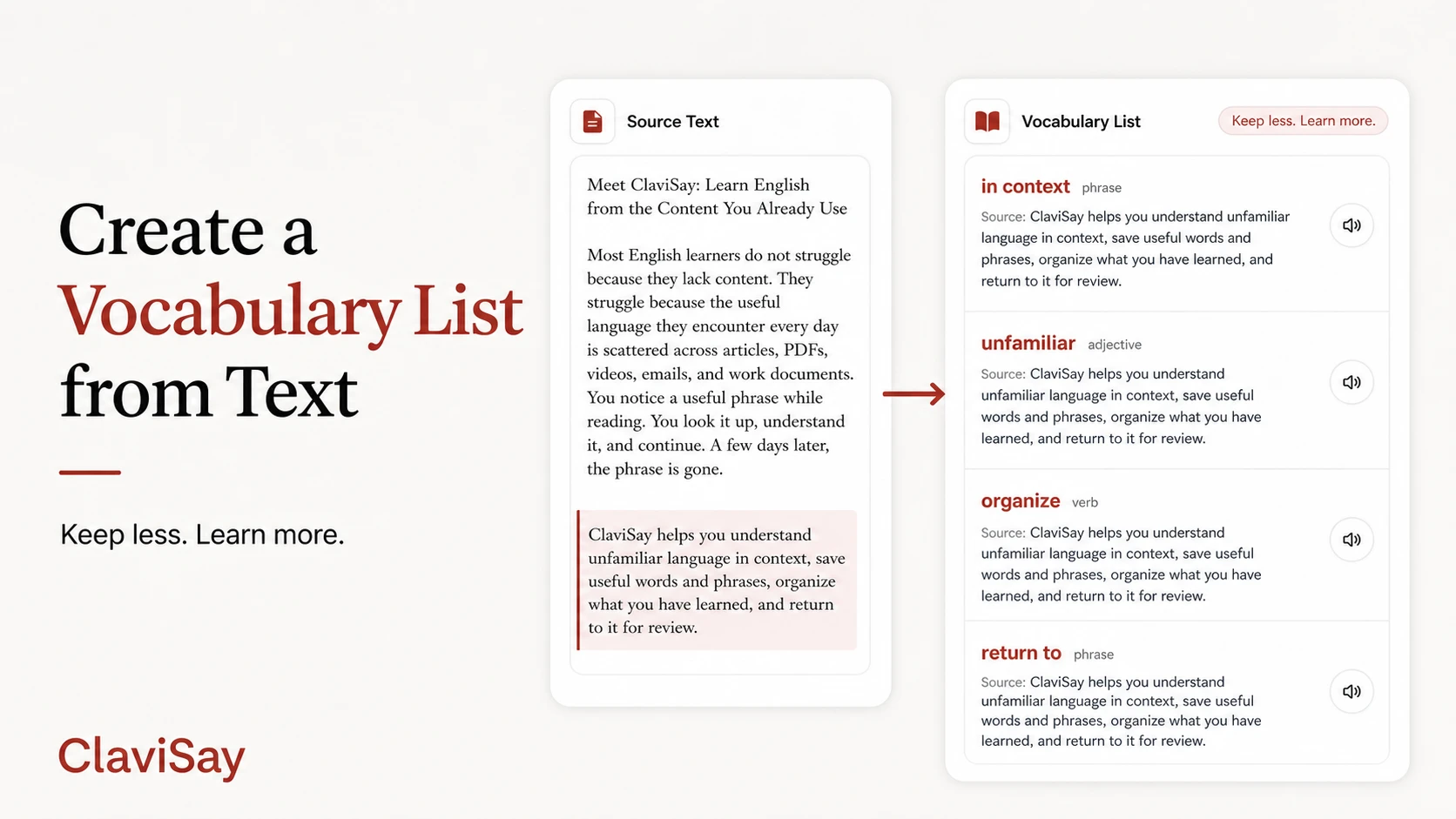
You can copy every unfamiliar word from an article and still end up with a poor vocabulary list. The problem is not effort. It is selection. A long list of isolated words may look productive, but it gives you little reason to remember each item and almost no clue about how the language was used.
To create a vocabulary list from text that remains useful after the page is closed, you need to keep less information than you might expect - but the right information. The list should lead back to meaning, phrase patterns, and practice, not just prove that you found many new words.
Start with a Text You Have a Reason to Understand
Vocabulary sticks more easily when it belongs to a subject you care about. Choose a report you need for work, an article related to your studies, or a story you genuinely want to finish.
The text should be challenging enough to contain new language but not so difficult that every sentence becomes a decoding exercise. If more than a small portion of each paragraph is unfamiliar, use a shorter passage or an easier source.
Your reason for reading also affects what belongs in the list. A student preparing for an exam may keep academic terms. A product manager may care more about phrases used to describe risk, evidence, and priorities.
Do Not Save Every Unknown Word
An unfamiliar word deserves attention when at least one of these is true:
- it is important to the meaning of the passage;
- it appears more than once;
- it is common in the subject you read about;
- it forms part of a useful phrase;
- you can imagine using it in your own work or conversation.
Names, obscure technical details, and words that you understand well enough from context can usually stay in the text. Learning is not improved by making the list longer. For an average article, five to fifteen strong items are often enough for one review session.
Save Phrases Before Splitting Them into Words
Suppose an article contains the sentence:
The proposal has drawn criticism from local residents.
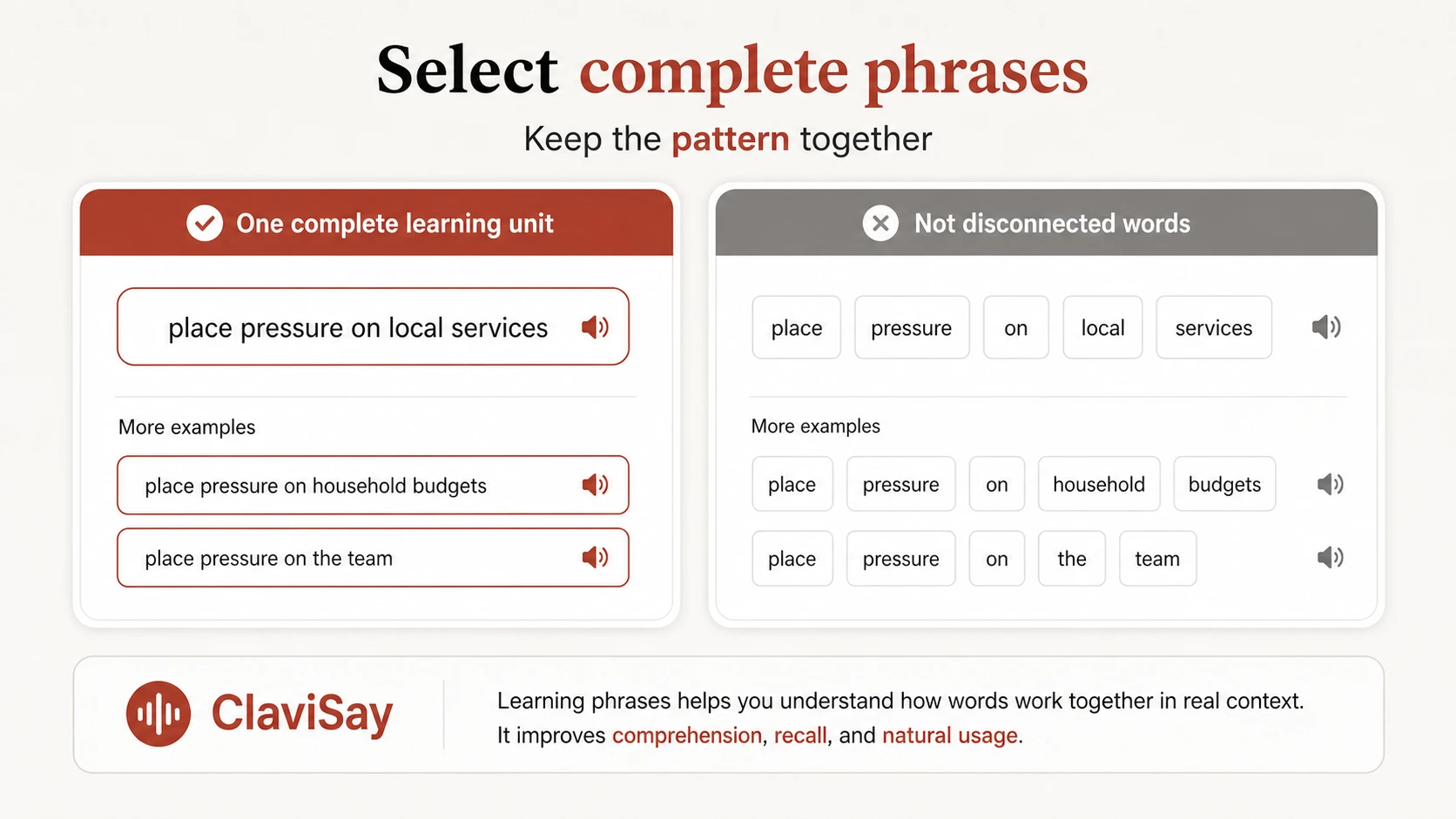
Saving only drawn removes the meaning you noticed. The useful item is draw criticism. In another article, you might meet draw attention, draw a distinction, or draw a conclusion.
Phrases reveal grammar and natural combinations. When you create a vocabulary list from text, look for verb + noun combinations, adjective + noun combinations, phrasal verbs, fixed prepositional patterns, and sentence frames you can adapt.
What Information Should a Vocabulary List Include?
A practical list does not need a miniature dictionary entry for every word. Use fields that help you understand and retrieve the language: the word or phrase, the source sentence, the meaning used here, one pattern or collocation, an optional translation, and a short prompt for review.
Translations can be useful, especially when a concise equivalent exists. They should not replace the source sentence or phrase pattern.
A Simple Example
Original sentence:
Smaller firms are particularly vulnerable to sudden changes in demand.
A useful entry might look like this:
- Item: vulnerable to
- Meaning here: easily harmed or affected by something
- Source sentence: Smaller firms are particularly vulnerable to sudden changes in demand.
- Pattern: vulnerable to + noun
- Personal example: New employees may be vulnerable to information overload.
This entry is short, but it contains enough information to use the phrase again.
Use a Tool Without Giving Up Judgment
Manual collection can interrupt reading. You copy a word, open a dictionary, search for an example, and lose the argument of the paragraph.
A text-to-vocabulary tool can identify candidate words and phrases, preserve source sentences, and reduce repetitive formatting. ClaviSay is designed around this context-first workflow: bring in real content, review suggested language, save what matters, and return to it later.
Automatic extraction should remain a first draft. Remove obvious words, irrelevant names, and items that do not fit your goal. Add language the tool overlooked if it matters to you.
Organize the List Around Use, Not the Alphabet
Alphabetical order is convenient for lookup but weak for learning. Try grouping items by topic, source article, project or class unit, phrase pattern, level of confidence, or next review date.
These groups create connections. A collection of expressions for presenting evidence is more reusable than five unrelated entries under the letter E.
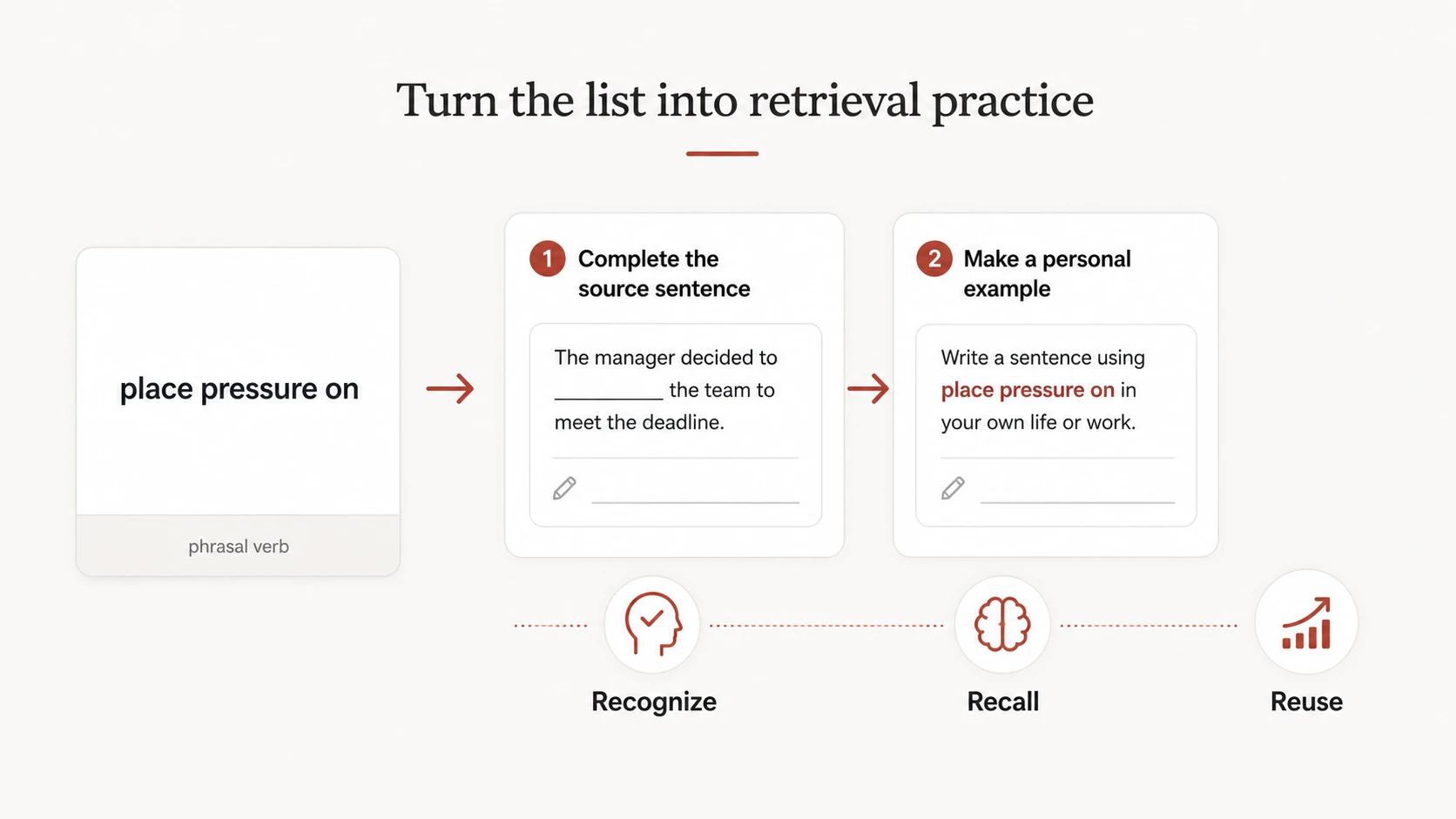
Turn the List into Retrieval Practice
Rereading definitions creates familiarity, not necessarily recall. Hide one part of the entry and try to produce it. You might show the source sentence with a blank, explain the phrase in simpler English, or write a new sentence related to your life.
A vocabulary quiz generator can also turn selected items into short checks, provided you review generated questions for ambiguity.
Common Mistakes
The first is collecting too much. The second is writing definitions that are longer and harder than the original word. The third is removing phrases from their grammar. The fourth is creating the list and never scheduling a return.
A smaller list reviewed three times is more useful than a perfect spreadsheet opened once. For candidate-first workflows, compare this guide with how to extract vocabulary from text.
Frequently Asked Questions
Can I create a vocabulary list from any text?
Yes, although clean digital text produces the best results. Choose material appropriate to your level and learning purpose.
How many words should I extract from an article?
There is no fixed number. Five to fifteen high-value items are often manageable for one session. Keep fewer when the entries include complex phrases.
Should I include every definition?
Usually not. Record the meaning used in the source and add another meaning only if it is common and relevant.
Is it better to save words or sentences?
Save the target word or phrase together with its source sentence. The item supports retrieval; the sentence supports meaning and usage.
How can I extract vocabulary from a PDF?
Use selectable text when possible and preserve the sentence around each item. See how to extract vocabulary from PDF for document-specific issues.
Build a List That Leads Back to Language
The purpose of a vocabulary list is not to prove how many words you found. It is to make useful language easier to understand, retrieve, and reuse.
When you create a vocabulary list from text, choose selectively. Keep phrases intact. Preserve the original sentence. Then return to the list soon enough to do something with it.