If you have ever tried to read an English PDF, you already know the problem. The document is dense, the vocabulary is specialized, and every few sentences a word or a long construction stops you cold. The standard fix people reach for is to translate the whole PDF into their language and read that instead. It feels faster, but it quietly destroys the thing you were trying to do: actually understand the original.
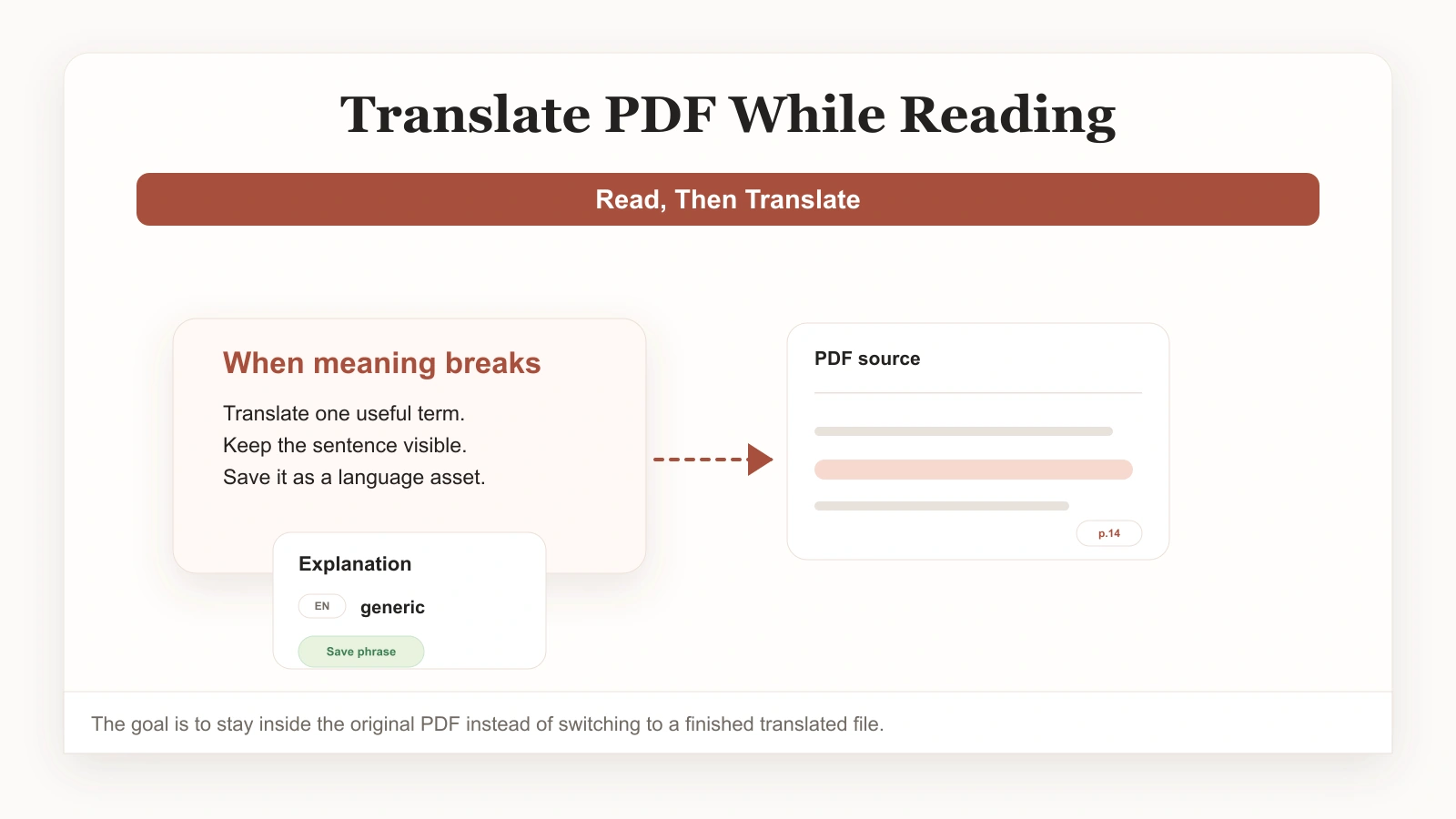
There is a better way. Instead of translating everything in advance, you translate a PDF while reading it — only the word, sentence, or passage you are stuck on, right where it sits on the page. You stay inside the document, you keep the layout, and the difficult language you meet actually has a chance to turn into something you remember. This guide walks through how to do it and why it works better than full-document translation.
Why full-document translation lets you down
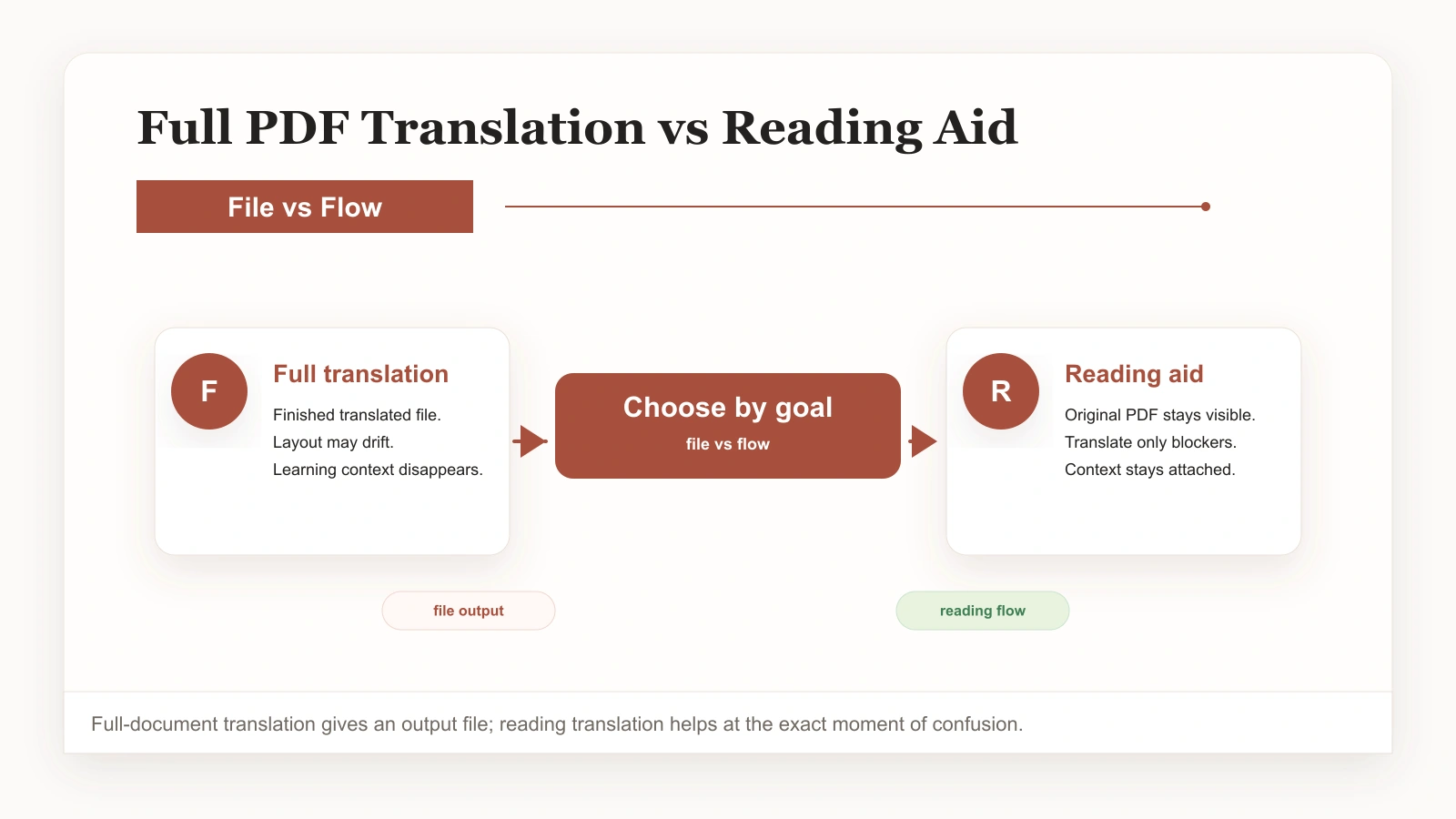
Full-document translation is the default because it is easy. Drop in a PDF, get a translated file back, done. But the moment you sit down to read, the cracks show. The translated page no longer matches the original layout, so following along with figures, tables, and citations becomes a chore. Whole paragraphs come back slightly wrong, and because you cannot see the source side by side, you cannot tell where.
The bigger problem is learning. When you read a finished translation, you never actually engage with the English. The words you struggled with are gone, replaced before you had a chance to wrestle with them. Hours of reading turn into zero new vocabulary. If your goal is just to extract information once, full translation is fine. If you want to get better at reading this kind of content, it is closer to a trap.
Translating a PDF while reading flips the relationship. The original stays in front of you. The translation arrives only where you ask for it, in the moment, attached to the exact sentence you are trying to understand. You read the real thing and get help precisely where you need it — nowhere else. Once you get used to it, you will wonder why anyone still translates PDFs any other way, because the moment you translate a PDF while reading for the first time, the difference is obvious.
What “translate PDF while reading” actually looks like
The setup is simple. You open the PDF in a reading workspace that supports on-demand translation, and you read it in a two-column bilingual view. The left column is the original; the right is your language, appearing only where you trigger it. Tap a word, get an explanation in place. Select a sentence, get a context-aware translation of that sentence. Need a whole paragraph? Pull it up, read it, drop back to the original.
The point is that you stay in control. You decide how much help you need at any given moment. Easy paragraphs you read straight through in English. Hard ones you lean on more. Over time, you notice yourself reaching for the translation less, which is the whole idea — the scaffold is there to be gradually removed.
When something is worth keeping, you save it in one tap. The word or expression lands in your vocabulary library together with the original sentence, so what you learn never gets detached from where you met it. That single habit is what separates readers who improve from readers who stay stuck.
A simple workflow to translate a PDF while reading
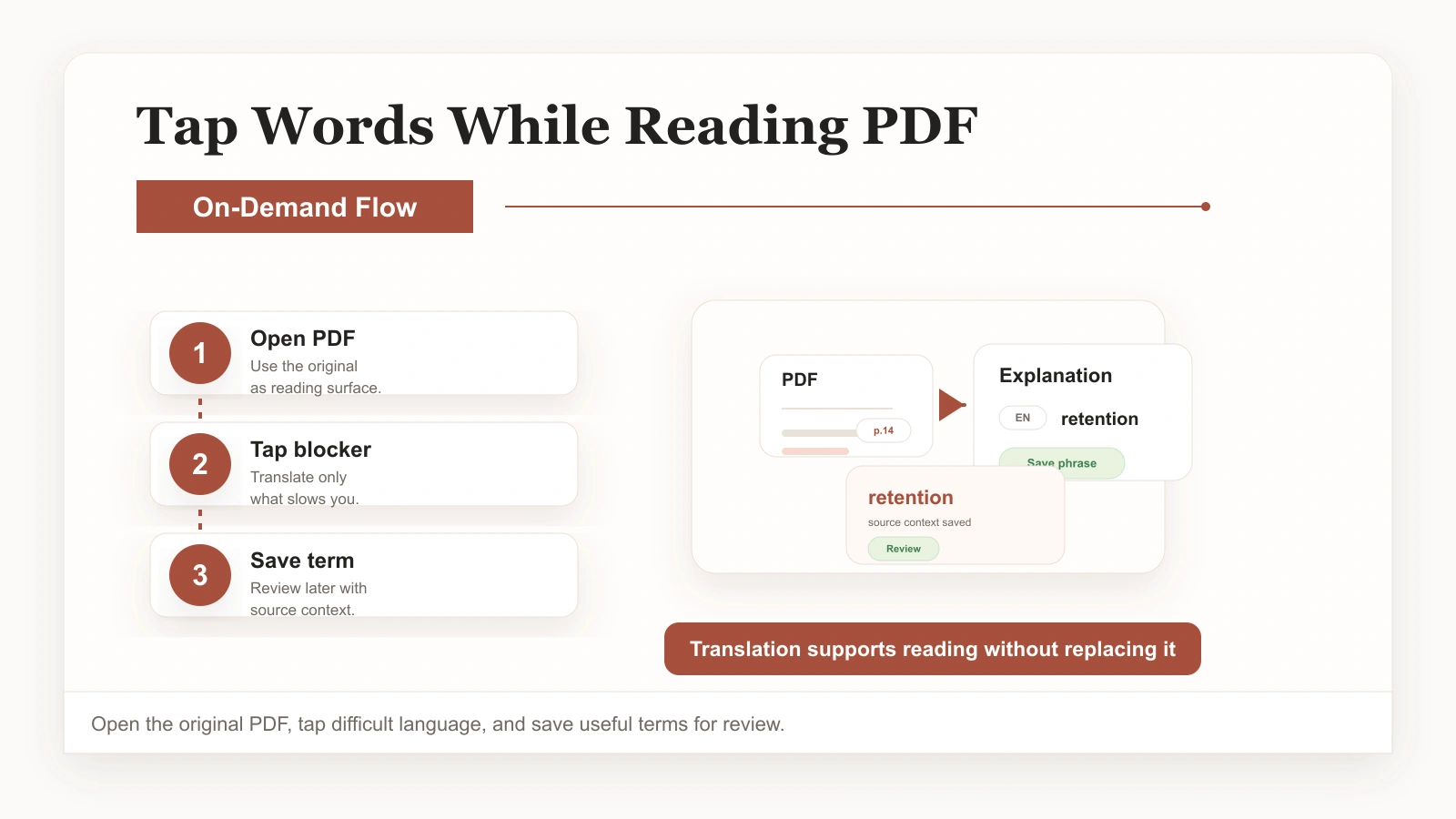
Step 1: Open the PDF where you will read it
Bring the document into a reading workspace that supports on-demand translation. Reports, papers, ebooks, manuals — whatever you actually need to read works. Resist the urge to convert the whole file first. The goal is to read the original, not a replacement.
Step 2: Read, and translate only when you stop
Move through the document at a normal pace. The moment a word or a sentence slows you down, tap it. Get an explanation grounded in the surrounding context, then keep going. Most of the time a sentence-level translation is enough; save the full-passage view for genuinely tangled sections.
Step 3: Save the vocabulary worth keeping
When a word, phrase, or expression is worth remembering, save it right there. It goes into your vocabulary library with the original sentence attached, ready for review. This is what turns reading time into language growth.
If you want to go deeper on turning those saved words into a review system, our guide on translating words from a PDF and saving them for review picks up exactly where this leaves off.
When to translate on demand vs. translate the whole document
Neither approach is wrong; they just serve different goals. Full-document translation is the right call when you need to skim something once for information and the language is not the point — a one-off report, a spec you need to extract details from, a document you will never open again.
On-demand translation is the right call when the document matters. When it is a paper you will cite, a manual you will reference repeatedly, a textbook you are learning from, or anything where the vocabulary and structure are part of what you are trying to absorb. In those cases, reading the original — with help — is what produces real understanding. For a broader comparison of the two strategies, see how to translate a PDF without losing context.
Common mistakes to avoid
- Translating the whole document first and then reading the output. You lose the layout and the learning at the same time.
- Stopping at every single word. Read the sentence first; often the meaning becomes clear from context without a lookup.
- Translating but never saving. If you look something up and move on, it is gone within a day. Saving it with its sentence is what makes it stick.
- Saving words with no context. A definition alone is hard to remember. A definition tied to a real sentence you read is easy.
- Relying on the translation as a crutch forever. The goal is to need it less over time, not to depend on it permanently.
Make reading PDFs actually pay off
The difference between readers who improve and readers who do not is rarely talent. It is process. Reading the original, getting help exactly where you need it, and saving the language worth keeping turns a PDF from an obstacle into a resource. The next time you open a difficult document, learn to translate a PDF while reading instead of converting it in advance — and save a few words along the way. It is the single habit that separates reading that produces vocabulary from reading that produces nothing. If you found this guide useful, bookmark how to translate a PDF while reading for your next difficult document.
If you want to see this built into a reading workspace, the PDF Translator at ClaviSay is designed around exactly this workflow, and you can pair it with our guide on translating words from a PDF and saving them.