Reading an English PDF usually means meeting the same problem over and over: a word you do not know, then another, then a phrase that does not behave the way you expected. The instinct is to look each one up, get the definition, and keep reading. The result, almost always, is that you look the same words up again next week. Nothing sticks.
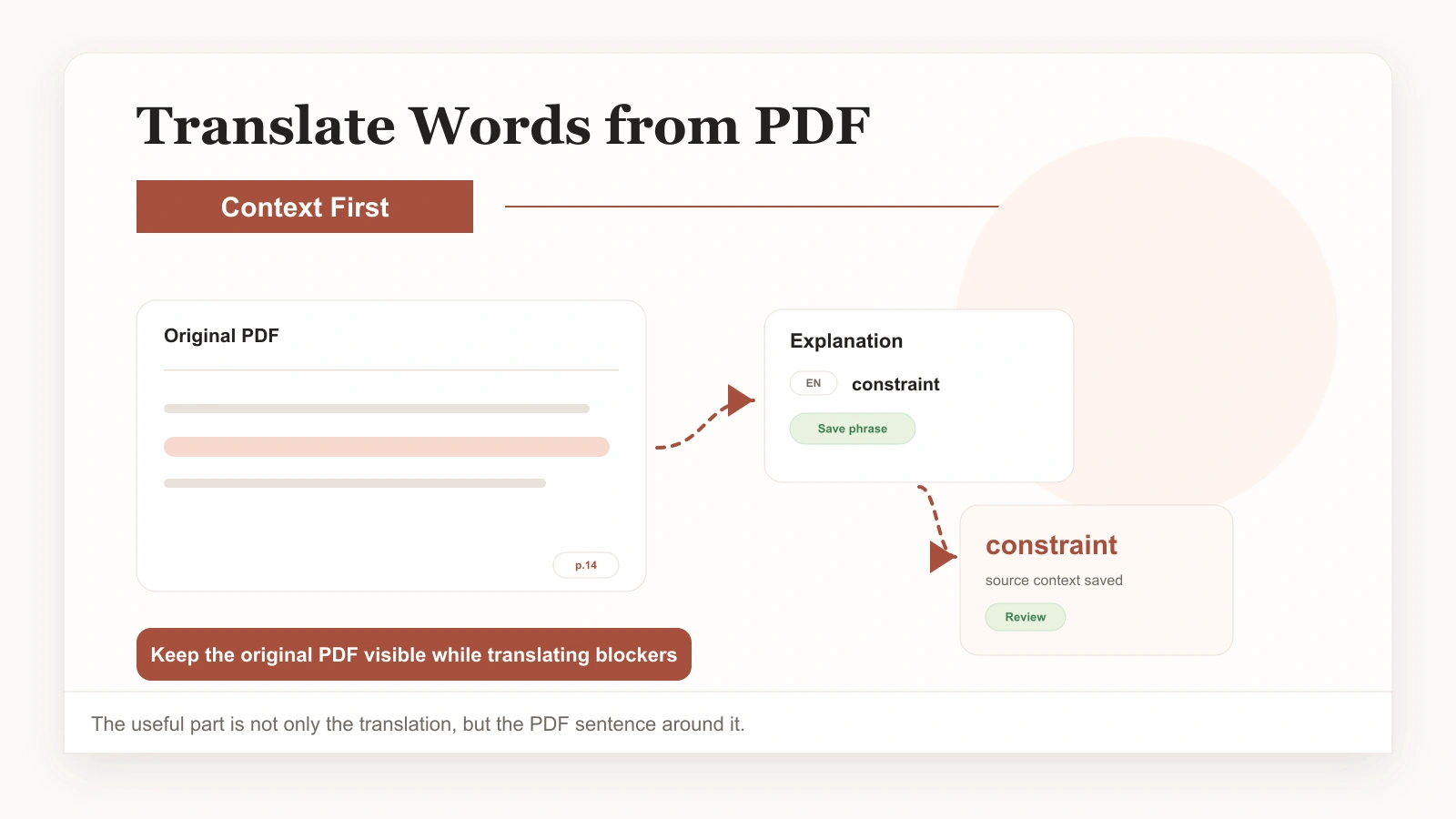
The fix is not to look things up harder. It is to translate words from a PDF in a way that actually saves them — with the sentence they came from, in the context you met them — so that next time you review instead of re-search. This guide shows how to do exactly that, and why saving words with their context is the part almost everyone gets wrong.
Why looking up words fails on its own
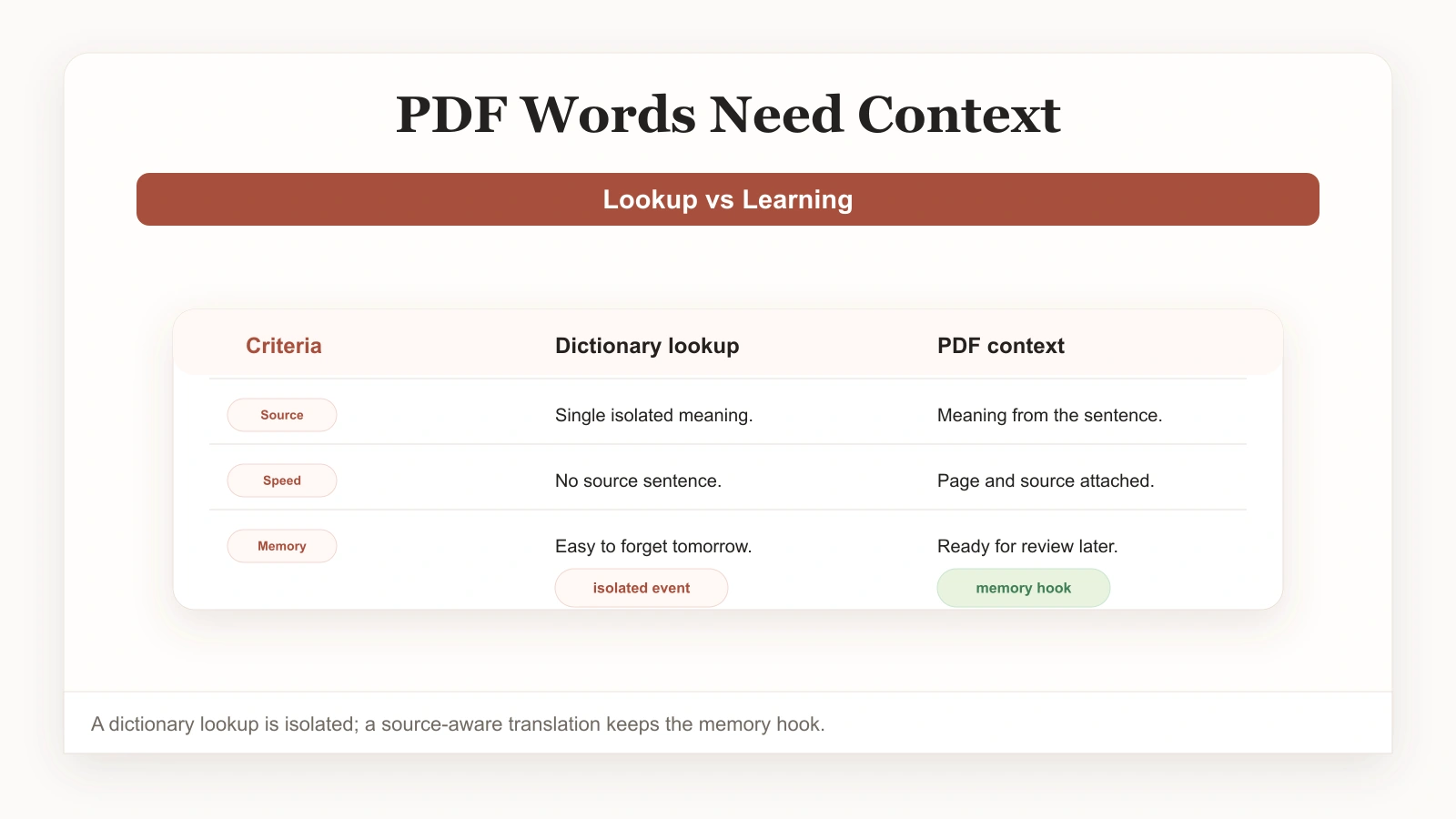
A dictionary lookup is a single, isolated event. You see an unfamiliar word, you find its meaning, you feel a small jolt of understanding, and you move on. From your brain's point of view, there is almost nothing to hold onto. No sentence, no situation, no reason to keep the word. By the next day it is gone, which is why so many people read English PDFs for years and never build real vocabulary.
Saving the word changes that. The moment you decide a word is worth keeping and store it, it stops being a passing lookup and starts being something you own. But saving it the wrong way — as a bare definition in a list — is only marginally better. What actually makes vocabulary stick is saving it with the original sentence you read it in. That sentence is the context that gave the word meaning in the first place, and it is what your brain uses to retrieve the word later.
This is the core idea when you translate words from a PDF for real learning: the sentence is part of the vocabulary. Lose the sentence and you lose most of the memory hook.
What it means to translate words from a PDF, the useful way
Done well, translating words from a PDF is a small, repeatable habit rather than a chore. You read the document. A word stops you. You get a translation that is grounded in the surrounding context — not just a dictionary entry, but an explanation of what the word means in this sentence. If it is worth keeping, you save it in one tap, and it lands in your vocabulary library with the original sentence attached.
The result, over a few weeks of reading, is a vocabulary collection that is genuinely yours. Every word has a story: where you met it, what it was doing in that sentence, why it mattered enough to save. When you review, you are not staring at an abstract list. You are revisiting real moments of reading, which is why this approach produces vocabulary that survives.
It also works for more than single words. Phrases, collocations, and full expressions are often the most valuable things in a PDF — the things a dictionary will not hand you — and they save just as easily. If you want the broader picture of how reading turns into vocabulary, our guide on building vocabulary while reading real articles covers the same idea across more content types.
A simple workflow to translate words from a PDF and save them
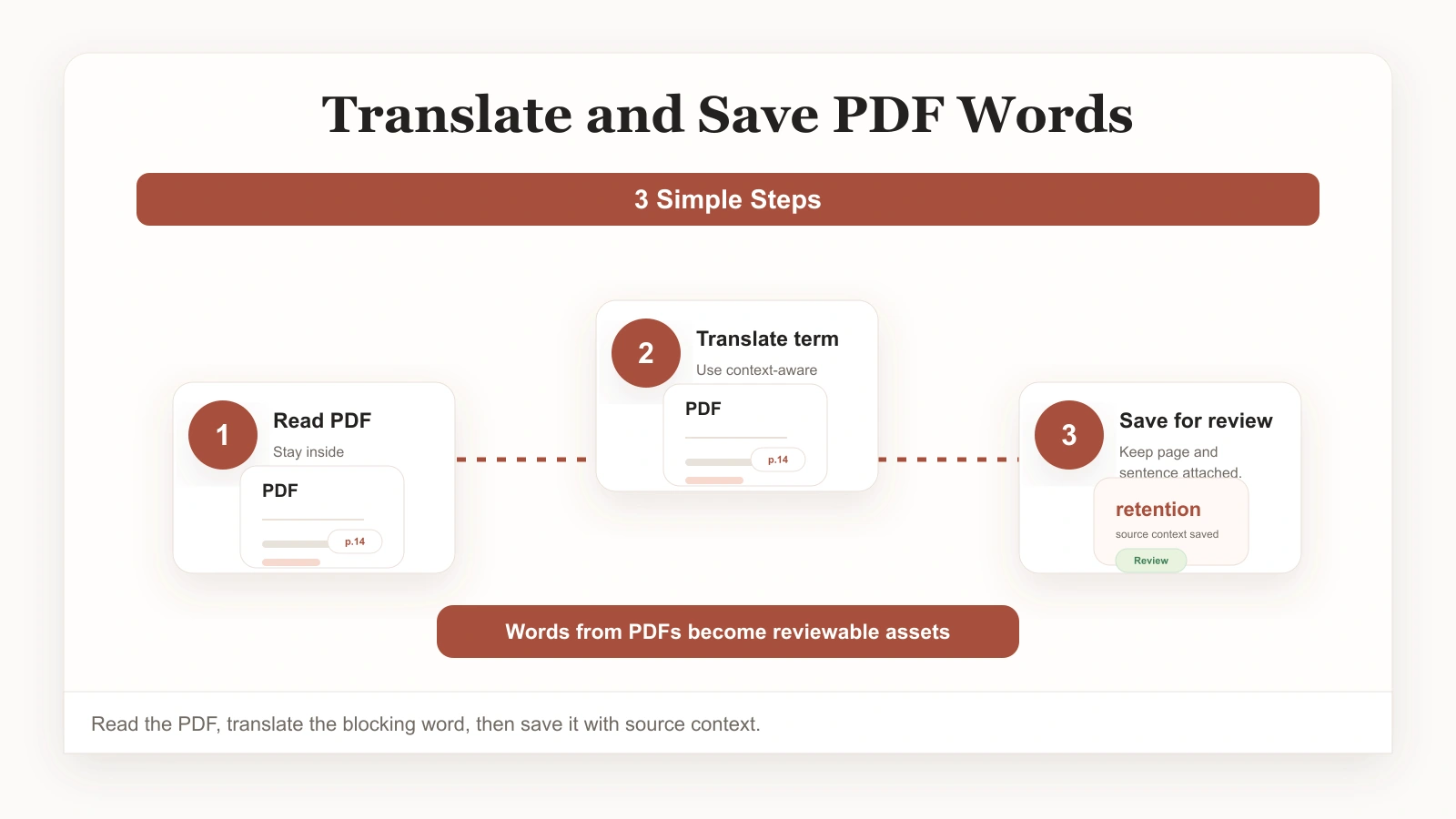
Step 1: Read the PDF where you can save from it
Open the document in a reading workspace that lets you translate and save in place. The key is that saving happens in the moment, not in a separate notes app you will never open.
Step 2: Translate words in context
When a word or phrase slows you down, tap it and read the explanation grounded in the surrounding sentence. Resist saving everything — most words are not worth keeping. Save the ones that matter: terminology you will meet again, expressions you want to reuse, anything that made a sentence click.
Step 3: Save with the original sentence
Save the word together with the source sentence. This single step is what separates vocabulary that sticks from vocabulary that evaporates.
Step 4: Review what you saved
Come back to your saved words through spaced review. Because each one carries its original context, review feels like revisiting real reading rather than drilling a list.
Once you are saving regularly, the same habit extends naturally to passages and full translations — our guide on translating a PDF while reading shows how to scale it up to whole sentences and paragraphs.
What is actually worth saving from a PDF
Not every unfamiliar word belongs in your vocabulary library. A little selectivity goes a long way.
- Specialized terminology in your field. These are the words you will meet again and again, and the ones most worth owning.
- Phrases and collocations. The combinations that do not translate literally — these are usually more valuable than individual words.
- Academic and professional expressions. Sentence frames and chunks you can reuse in your own writing.
- Words that changed your understanding. If a translation made a whole paragraph suddenly make sense, that word is worth keeping.
- Skip anything you have already saved, anything obvious from context, and anything so rare you will never see it again.
Make PDF reading build vocabulary that lasts
The shift from looking words up to saving them — with their sentences, in their context — is small and it changes everything. You stop re-meeting the same vocabulary from scratch and start accumulating it instead. The next time you sit down with a difficult PDF, translate words from a PDF deliberately: read, get the in-context meaning, save the ones worth keeping, and review them later. That loop is how reading finally starts to pay off.
If you want this built into a workspace, the PDF Translator is designed around saving words with their source sentences. Keep this guide on translating words from a PDF handy, and the wider ClaviSay reading ecosystem turns saved vocabulary into review you can come back to across web, browser, and mobile.