You want to read an English article. Maybe it is news you care about, a newsletter you subscribed to, a research summary for work. You open it, get two paragraphs in, and hit a wall — a word you do not know, then a sentence that refuses to make sense. The reflex is to copy the whole thing into a translator and read the result. It solves the immediate problem and quietly creates a bigger one: you finish the article having read almost no English.
There is a way to read English articles with translation support that does not have that side effect. You keep the original article in front of you, call up a translation only where you actually need it, and save the language worth keeping. You finish the article having understood it and having learned something. This guide shows how.
The problem with translating the whole article
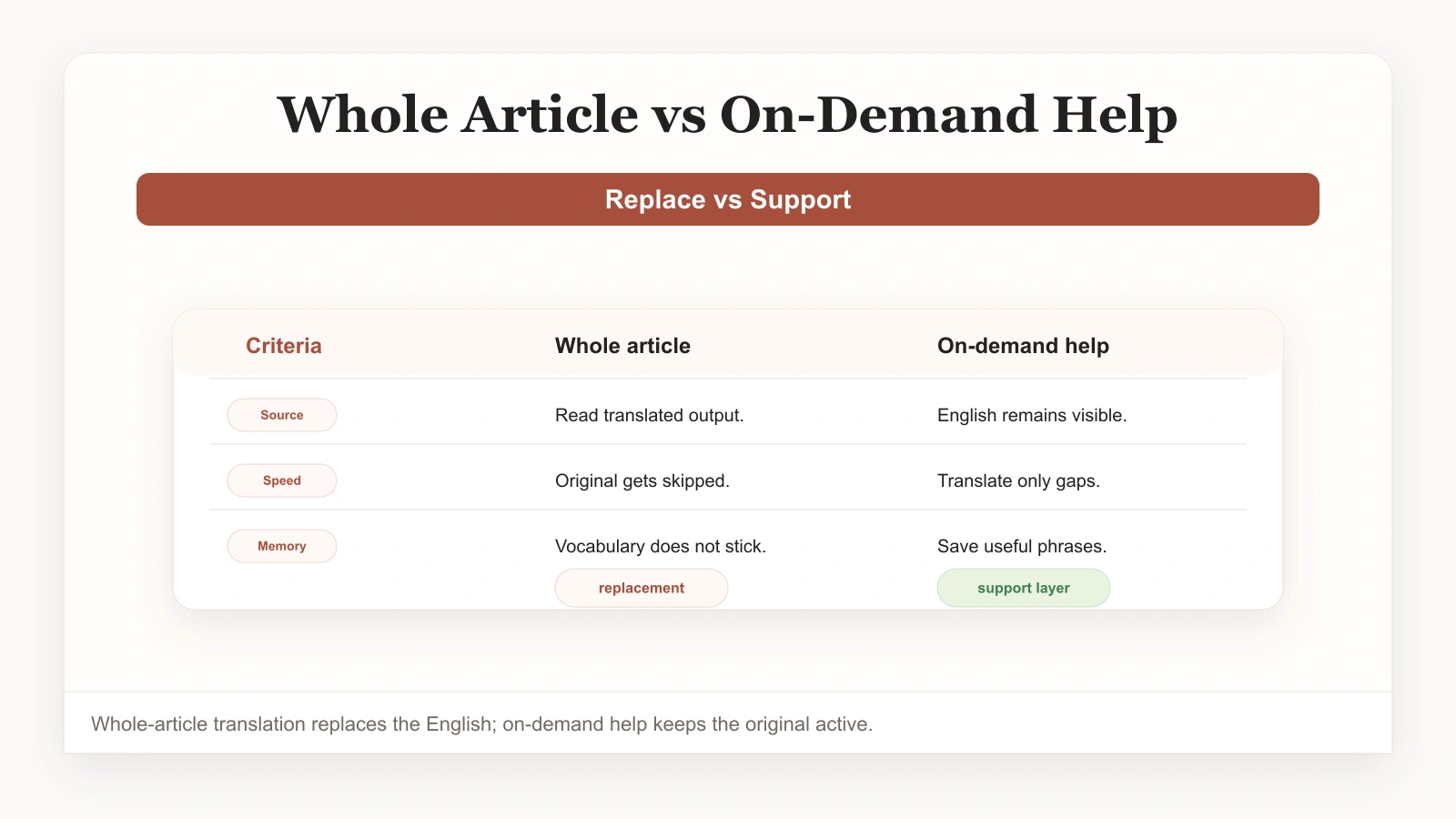
Whole-article translation is the default because it is effortless, and for a one-time skim it is genuinely fine. But when you reach for it on every article, a pattern sets in. You read the translated version, feel you understood, and move on. The next time you meet similar vocabulary in a different article, it feels brand new. Months of reading produce almost no growth.
The reason is simple. When you read a finished translation, the English is optional. Your brain does the lazy, sensible thing and reads the easier language, ignoring the harder one. No engagement means no learning. If your only goal is information, this is a fine trade. If part of the reason you read English articles is to get better at English, whole-article translation works against you.
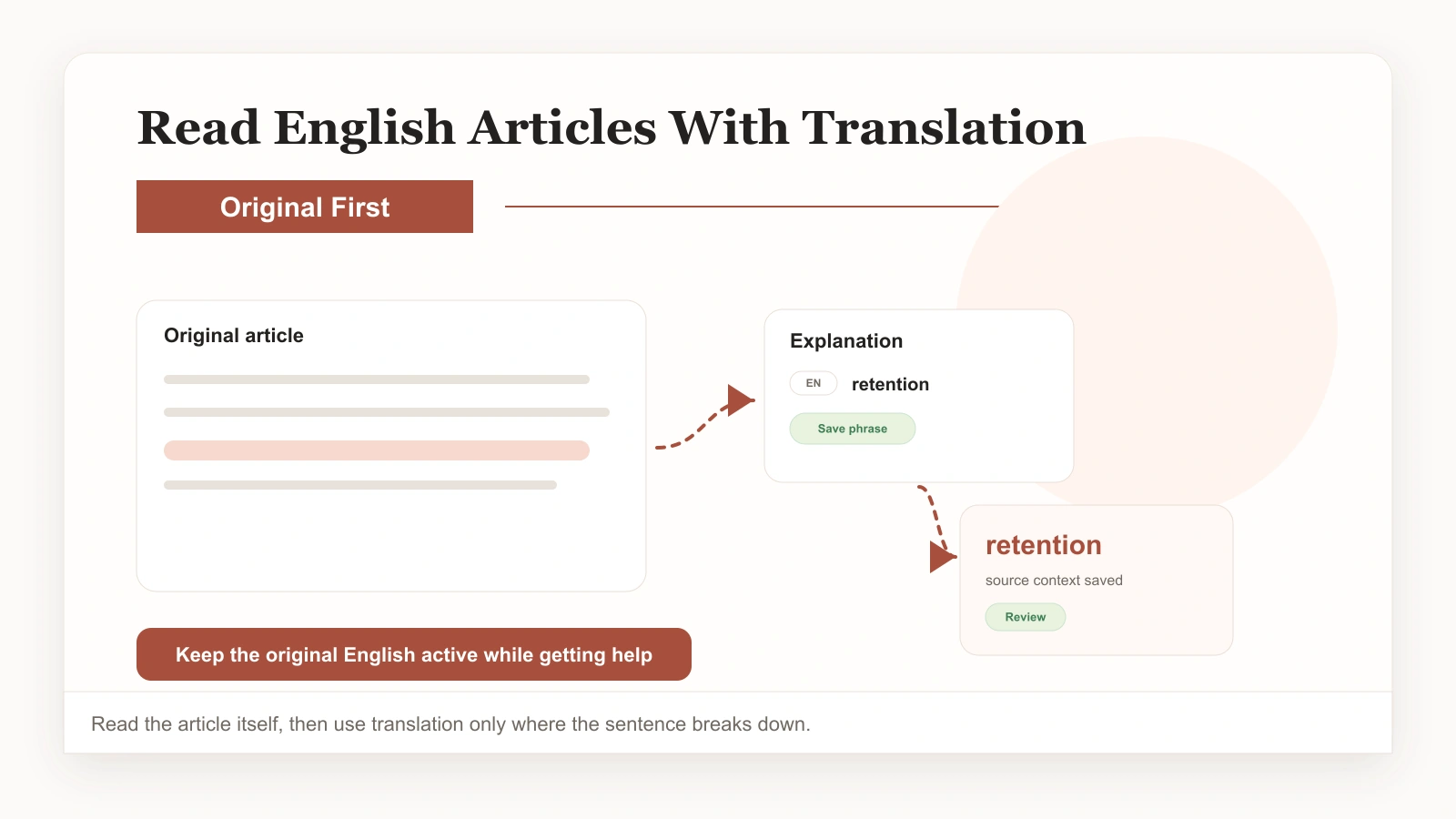
The fix is to keep the original in the foreground and the translation in the background, available but not automatic. That is the core of how to read English articles with translation the useful way.
Read the original, translate on demand
The workflow is built around one principle: the original article is what you read, and translation arrives only where you ask for it. In practice it looks like a two-column or inline view where the English is always there and a translation appears when you tap a word, select a sentence, or pull up a passage.
Read for meaning first. Most sentences will make sense, or close enough, without any help — and that is the point. The moments you do need support are exactly where learning happens, because the word or sentence that stopped you is the one worth paying attention to. Get an explanation grounded in the surrounding context, then keep going. You stay in flow, you stay in the original, and the hard parts become chances to learn instead of reasons to give up.
This is the practical difference that makes reading English articles with translation actually build language: you control how much help you use, and the help stays tied to the real text.
A simple workflow to read English articles with translation
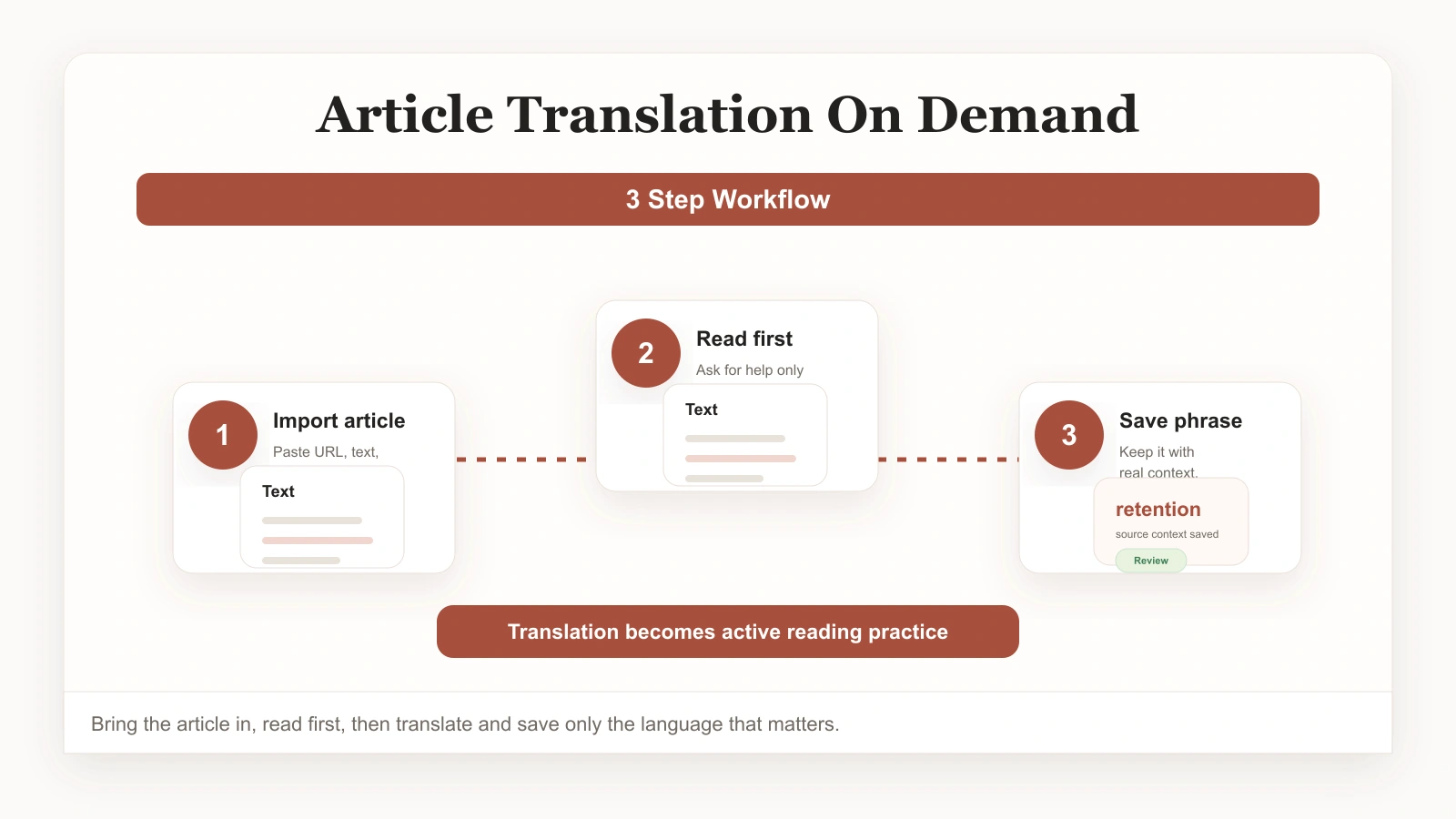
Step 1: Bring the article into a reading workspace
Open the article somewhere that supports on-demand, in-context translation. Paste a link, import the text, or use a browser sidebar on the live page. The goal is to read the original, not a converted version.
Step 2: Read, and translate only where you stop
Move through the article normally. When a word or sentence slows you down, tap it for a context-aware explanation. Most of the time a sentence-level translation is enough; save full-passage translation for genuinely tangled sections.
Step 3: Save the vocabulary worth keeping
When a word or expression is worth remembering, save it with the original sentence attached. This is the step that turns reading into vocabulary, and it is the one almost everyone skips. For more on this loop, see our guide on saving vocabulary from articles without breaking your reading flow.
If you want to compare this with the alternative, our breakdown of bilingual reading vs translation explains why on-demand support beats whole-article translation for learners.
Choose articles you actually want to read
The biggest lever for whether any of this works is article choice. Reading content you do not care about, because someone said it is “good for your English,” rarely produces vocabulary — you are not engaged enough to notice, look up, or remember. Reading content you would read in your own language anyway is where the gains come from, because interest is what makes the capture habit happen naturally.
News in your field, blogs on your hobbies, newsletters you actually subscribed to, work documents you have to read — these are the ideal input, not because the vocabulary is special but because you are already motivated to understand them. Bring the same on-demand translation habit to all of them and you will build vocabulary without ever feeling like you are studying.
Habits that make reading pay off
- Read the English first. Try the sentence before you reach for support; context often carries more than you expect.
- Translate at the sentence level by default. Single words miss the surrounding meaning; whole passages bury it.
- Save selectively. Keep the words worth reusing; skip the rest so your review stays manageable.
- Always save the sentence. A definition alone fades; a definition tied to a real sentence you read sticks.
- Review briefly and often. A few minutes a day moves saved words into long-term memory.
For a broader take on turning reading into vocabulary growth, our guide on building vocabulary while reading real articles expands on the same ideas across more content types.
Read smarter, not harder
You do not need to read more English articles to improve. You need to read the ones you already choose, with translation support that keeps the original in view instead of replacing it. Read first, get help where you need it, save the words worth keeping, and review them. That small shift turns article reading from a thing you do into a thing that builds your English, article by article.
If you want a workspace built around this, the bilingual reading tool lets you read any real article with on-demand translation and saved vocabulary. Keep our guide on reading English articles with translation close by, and the wider ClaviSay ecosystem extends the same workflow to PDFs, webpages, and videos.